Creative culture in school Joomla Template



Edit Template Offline
2. Create new page and search for id 29476
Edit Template Online
Create Awesome Websites


Free Nicepage Builder
Keywords
Disciplines, Programs, and Resources Form Structured CMS Content Areas
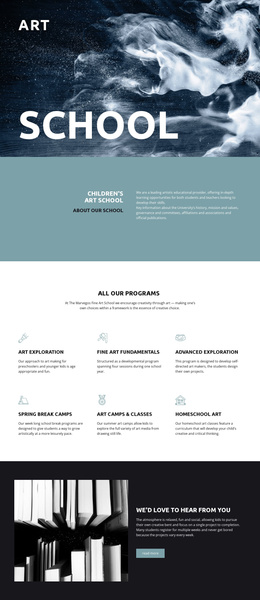
The page divides academic information into several distinct content regions rather than presenting one uninterrupted block of copy. The four Core disciplines panels are especially suitable for structured educational content: Architecture, Design, Fine Arts, and Humanities each have their own heading, description, color treatment, and image-backed area. In a Joomla project, those regions can be interpreted as coordinated sections for maintaining related academic information while keeping each discipline visually identifiable.
The Young Artist Studio Program provides a separate program-focused area, marked with the number 02 and supported by a photographic background and Read more action. Studios + Shops adds a resource-oriented region with an undergraduate label, descriptive text, section number 03, and a large artwork image. Together, these parts distinguish program information from facilities or resources, which helps preserve the page’s content hierarchy as information changes.
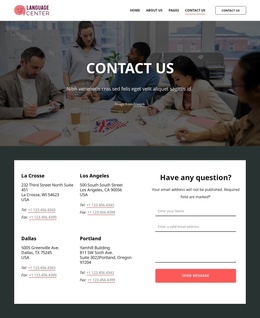
The About Us and Contact Us sections provide broader site regions around those academic areas. The former supplies institutional context, while the latter gathers address, telephone, and social-link content beside artwork imagery. The What We Do gallery can support a separate visual showcase within the same design system. This interpretation focuses on structured content and reusable site regions; it does not claim that Joomla Articles, modules, or other CMS objects already exist in the template.
Customize with Nicepage
Open this ready-made template in the Joomla Page Builder and customize it visually in the Nicepage editor. Replace demo content, edit page sections, and adapt the design to your project without rebuilding the template from scratch.
Work With This Template in Joomla
Customize and Install the Joomla Template
Start with this ready-made template instead of building the Joomla design from scratch. Customize its layout, content, typography, images, sections, and other design elements visually in the Nicepage application, then export and install the Joomla Template, Nicepage Extension, and supported content on your Joomla website.
Edit the Template Directly in Joomla
After installation, you can edit the Joomla Template directly in Joomla with the Nicepage Joomla Extension. Customize the Header, Footer, Colors, Fonts, typography, and Page Templates from the Joomla workflow while keeping the site design connected with your CMS content.
Edit Joomla Articles Visually
Use the Nicepage Joomla Extension to open and edit Joomla Articles visually from the Joomla Administrator. Change text, images, sections, layouts, and other page content in the Nicepage editor while continuing to manage the Articles through Joomla.
Joomla Content and Template Integration
Use the customized template together with Joomla Articles, module Positions, menus, forms, Blog Pages, and other supported CMS elements. With the Nicepage Extension used as the Site Style Source, shared design settings can be applied across Joomla Articles while Joomla continues to provide the CMS environment for managing site content.
This workflow combines a ready-made Joomla Template with visual customization, direct template editing in Joomla, and continued content management through the Nicepage Joomla Extension.