Features of working as a photographer Joomla Template


Branding and Development as Structured Service Content
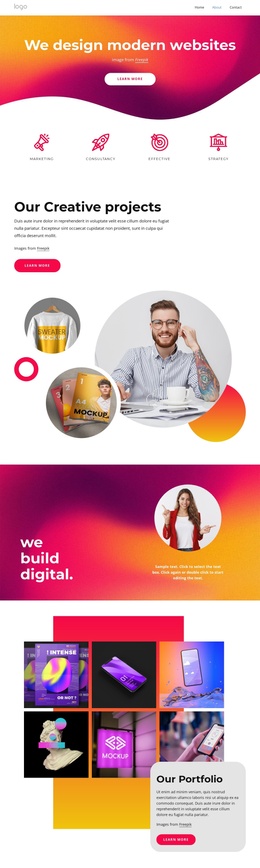
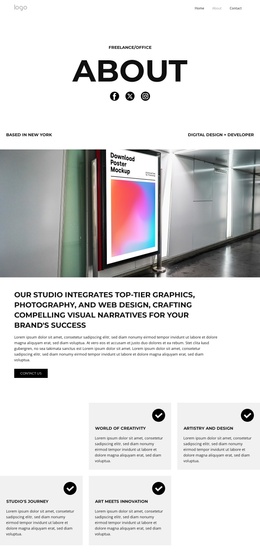
The two labeled offerings create a compact information region that can fit naturally into a Joomla-managed page. Branding and Development are not presented as undifferentiated paragraphs; each has a distinct tile, icon treatment, and nearby supporting text. That separation gives the service information a clear internal structure, allowing the section to communicate two related categories while preserving their different visual identities.
The central monochrome photograph provides a stable visual reference between the service areas. Branding uses a black tile with an orange icon and label, whereas Development uses an orange tile with a white icon and label. The alternating color treatment helps readers associate each description with the correct offering, and the generous white margins prevent the asymmetric arrangement from becoming visually crowded. With static interaction, the meaning comes from the relationship between the labels, paragraphs, tiles, and image.
Within a Joomla-oriented project, the block can serve as a reusable visual content region for structured creative-service information. A broader site may manage related editorial material and other page content separately, while this section preserves its focused two-offering arrangement. The block therefore works well where a page needs a recognizable services area rather than a complete CMS structure or a collection of unrelated content.
Customize with Nicepage
Open this ready-made template in the Joomla Page Builder and customize it visually in the Nicepage editor. Replace demo content, edit page sections, and adapt the design to your project without rebuilding the template from scratch.
Edit Template Offline
2. Create a new page or select existing
3. Click Add new block, search for id 289031 and click enter
Edit Template Online
Create Awesome Websites


Free Nicepage Builder
Keywords
Work With This Template in Joomla
Customize and Install the Joomla Template
Start with this ready-made template instead of building the Joomla design from scratch. Customize its layout, content, typography, images, sections, and other design elements visually in the Nicepage application, then export and install the Joomla Template, Nicepage Extension, and supported content on your Joomla website.
Edit the Template Directly in Joomla
After installation, you can edit the Joomla Template directly in Joomla with the Nicepage Joomla Extension. Customize the Header, Footer, Colors, Fonts, typography, and Page Templates from the Joomla workflow while keeping the site design connected with your CMS content.
Edit Joomla Articles Visually
Use the Nicepage Joomla Extension to open and edit Joomla Articles visually from the Joomla Administrator. Change text, images, sections, layouts, and other page content in the Nicepage editor while continuing to manage the Articles through Joomla.
Joomla Content and Template Integration
Use the customized template together with Joomla Articles, module Positions, menus, forms, Blog Pages, and other supported CMS elements. With the Nicepage Extension used as the Site Style Source, shared design settings can be applied across Joomla Articles while Joomla continues to provide the CMS environment for managing site content.
This workflow combines a ready-made Joomla Template with visual customization, direct template editing in Joomla, and continued content management through the Nicepage Joomla Extension.