Organization of business meetings Joomla Template



Three Business Topics Support a Structured Counter Section
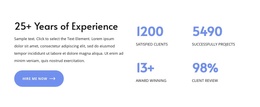
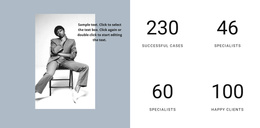
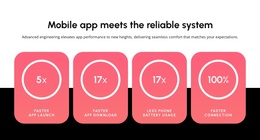
The two counter items create a compact visual summary on the left, while the right column explains the subject through a heading, paragraph, and three named topics. This separation suits a Joomla-managed content region because the numeric highlights and the educational list perform different jobs: the counters attract attention quickly, and the supporting content gives visitors a clearer subject path through Managing Your Career Development, Leading with Finance, and Harvard Business School Collection.
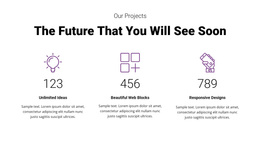
The heading, “The Future That You Will See Soon,” gives the section a forward-looking frame without requiring the block to carry an entire page narrative. The white background leaves generous space between the columns, and the vivid blue circular accents distinguish the large counter values from their smaller labels and descriptions. Blue triangular bullets connect the topic list to the same visual treatment, creating a consistent relationship between summary figures and supporting information.
Inside a Joomla-managed page or site, this block can function as a stable business education or professional-development section alongside other content regions. The sample values and descriptions work as replaceable structural content, while the two-column arrangement remains useful for presenting statistics beside related subject areas. Its static interaction also keeps the information visible in one pass, making the section suitable for a clearly bounded CMS content area rather than a standalone Joomla site.
Customize with Nicepage
Open this ready-made template in the Joomla Page Builder and customize it visually in the Nicepage editor. Replace demo content, edit page sections, and adapt the design to your project without rebuilding the template from scratch.
Edit Template Offline
2. Create a new page or select existing
3. Click Add new block, search for id 2814304 and click enter
Edit Template Online
Create Awesome Websites


Free Nicepage Builder
Keywords
Work With This Template in Joomla
Customize and Install the Joomla Template
Start with this ready-made template instead of building the Joomla design from scratch. Customize its layout, content, typography, images, sections, and other design elements visually in the Nicepage application, then export and install the Joomla Template, Nicepage Extension, and supported content on your Joomla website.
Edit the Template Directly in Joomla
After installation, you can edit the Joomla Template directly in Joomla with the Nicepage Joomla Extension. Customize the Header, Footer, Colors, Fonts, typography, and Page Templates from the Joomla workflow while keeping the site design connected with your CMS content.
Edit Joomla Articles Visually
Use the Nicepage Joomla Extension to open and edit Joomla Articles visually from the Joomla Administrator. Change text, images, sections, layouts, and other page content in the Nicepage editor while continuing to manage the Articles through Joomla.
Joomla Content and Template Integration
Use the customized template together with Joomla Articles, module Positions, menus, forms, Blog Pages, and other supported CMS elements. With the Nicepage Extension used as the Site Style Source, shared design settings can be applied across Joomla Articles while Joomla continues to provide the CMS environment for managing site content.
This workflow combines a ready-made Joomla Template with visual customization, direct template editing in Joomla, and continued content management through the Nicepage Joomla Extension.