Best classes and camps Joomla Template



Category Tiles Turn Class Information Into a Structured Content Region
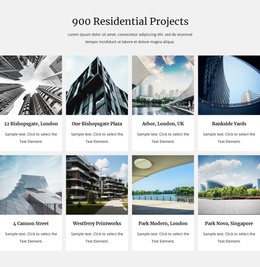
The heading “Best Classes and Camps” gives this section a clear editorial focus, while the paragraph beneath it provides space for a short introduction before the category choices begin. The six tiles then divide that subject into distinct visual content units. Their photographic backgrounds attract attention, and the solid purple label bands keep category names readable against the images. Together, these elements create a structured information region rather than an undifferentiated collection of promotional text.
The three-column grid places six categories into two balanced rows, making the section suitable for a Joomla-managed page where a stable service area needs to remain visually recognizable. Labels such as One-of-a-kind Classes, Summer Camps, Sport Camps, In-Person Camps, and Anywhere Learning can act as concise category cues within the section. The sixth tile follows the same image-and-label pattern, preserving the repeated structure even where the visible sample wording is not used as a business claim.
In a Joomla-oriented project, this block can occupy a reusable classes or camps region while the broader site manages its other educational information and page content through the CMS. The section itself contributes the visual grouping: an introductory text area followed by six consistently styled category units. That arrangement helps separate the overview from the available offerings and gives related content a defined place around which longer descriptions, registration details, or contact areas can be organized.
Customize with Nicepage
Open this ready-made template in the Joomla Page Builder and customize it visually in the Nicepage editor. Replace demo content, edit page sections, and adapt the design to your project without rebuilding the template from scratch.
Edit Template Offline
2. Create a new page or select existing
3. Click Add new block, search for id 2801408 and click enter
Edit Template Online
Create Awesome Websites


Free Nicepage Builder
Keywords
Work With This Template in Joomla
Customize and Install the Joomla Template
Start with this ready-made template instead of building the Joomla design from scratch. Customize its layout, content, typography, images, sections, and other design elements visually in the Nicepage application, then export and install the Joomla Template, Nicepage Extension, and supported content on your Joomla website.
Edit the Template Directly in Joomla
After installation, you can edit the Joomla Template directly in Joomla with the Nicepage Joomla Extension. Customize the Header, Footer, Colors, Fonts, typography, and Page Templates from the Joomla workflow while keeping the site design connected with your CMS content.
Edit Joomla Articles Visually
Use the Nicepage Joomla Extension to open and edit Joomla Articles visually from the Joomla Administrator. Change text, images, sections, layouts, and other page content in the Nicepage editor while continuing to manage the Articles through Joomla.
Joomla Content and Template Integration
Use the customized template together with Joomla Articles, module Positions, menus, forms, Blog Pages, and other supported CMS elements. With the Nicepage Extension used as the Site Style Source, shared design settings can be applied across Joomla Articles while Joomla continues to provide the CMS environment for managing site content.
This workflow combines a ready-made Joomla Template with visual customization, direct template editing in Joomla, and continued content management through the Nicepage Joomla Extension.