Creating strategic design Joomla Template


Three Service Cards Form a Structured Joomla Content Region
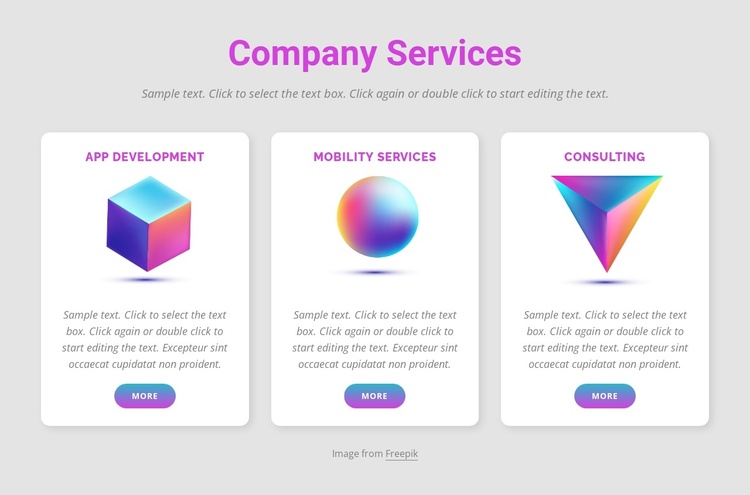
The centered “Company Services” heading and supporting paragraph establish the subject before the three repeated service cards begin. App Development, Mobility Services, and Consulting each occupy the same card pattern, with a colorful abstract icon above the label, description, and “More” button. This repeated structure separates related offerings into recognizable content units without making the section dependent on a long uninterrupted text column.
In a Joomla-managed page, the service row can function as a stable informational region within a broader site. Its content model suits a structured presentation of service categories: each card gives one offering a defined visual and editorial space, while the shared arrangement helps visitors compare the three options at a glance. The light gray section background distinguishes the region from neighboring content, and the white rounded cards with soft shadows preserve that separation around every service item.
The magenta-purple heading and labels connect the introductory group to the cards, while gradient accent buttons provide a consistent route toward additional information. The buttons are present as links, so the surrounding Joomla content can provide the deeper destination without requiring this block to carry the whole page structure. The result is a reusable services area that can sit among other Joomla-managed content regions while retaining its own clear hierarchy and visual identity.
Customize with Nicepage
Open this ready-made template in the Joomla Page Builder and customize it visually in the Nicepage editor. Replace demo content, edit page sections, and adapt the design to your project without rebuilding the template from scratch.
Edit Template Offline
2. Create a new page or select existing
3. Click Add new block, search for id 2175253 and click enter
Edit Template Online
Create Awesome Websites


Free Nicepage Builder
Keywords
Work With This Template in Joomla
Customize and Install the Joomla Template
Start with this ready-made template instead of building the Joomla design from scratch. Customize its layout, content, typography, images, sections, and other design elements visually in the Nicepage application, then export and install the Joomla Template, Nicepage Extension, and supported content on your Joomla website.
Edit the Template Directly in Joomla
After installation, you can edit the Joomla Template directly in Joomla with the Nicepage Joomla Extension. Customize the Header, Footer, Colors, Fonts, typography, and Page Templates from the Joomla workflow while keeping the site design connected with your CMS content.
Edit Joomla Articles Visually
Use the Nicepage Joomla Extension to open and edit Joomla Articles visually from the Joomla Administrator. Change text, images, sections, layouts, and other page content in the Nicepage editor while continuing to manage the Articles through Joomla.
Joomla Content and Template Integration
Use the customized template together with Joomla Articles, module Positions, menus, forms, Blog Pages, and other supported CMS elements. With the Nicepage Extension used as the Site Style Source, shared design settings can be applied across Joomla Articles while Joomla continues to provide the CMS environment for managing site content.
This workflow combines a ready-made Joomla Template with visual customization, direct template editing in Joomla, and continued content management through the Nicepage Joomla Extension.