Progressive design art Joomla Template


Edit Template Offline
2. Create new page and search for id 18727
Edit Template Online
Create Awesome Websites


Free Nicepage Builder
Keywords
Mission, Values, and Artwork Form Clear Content Regions
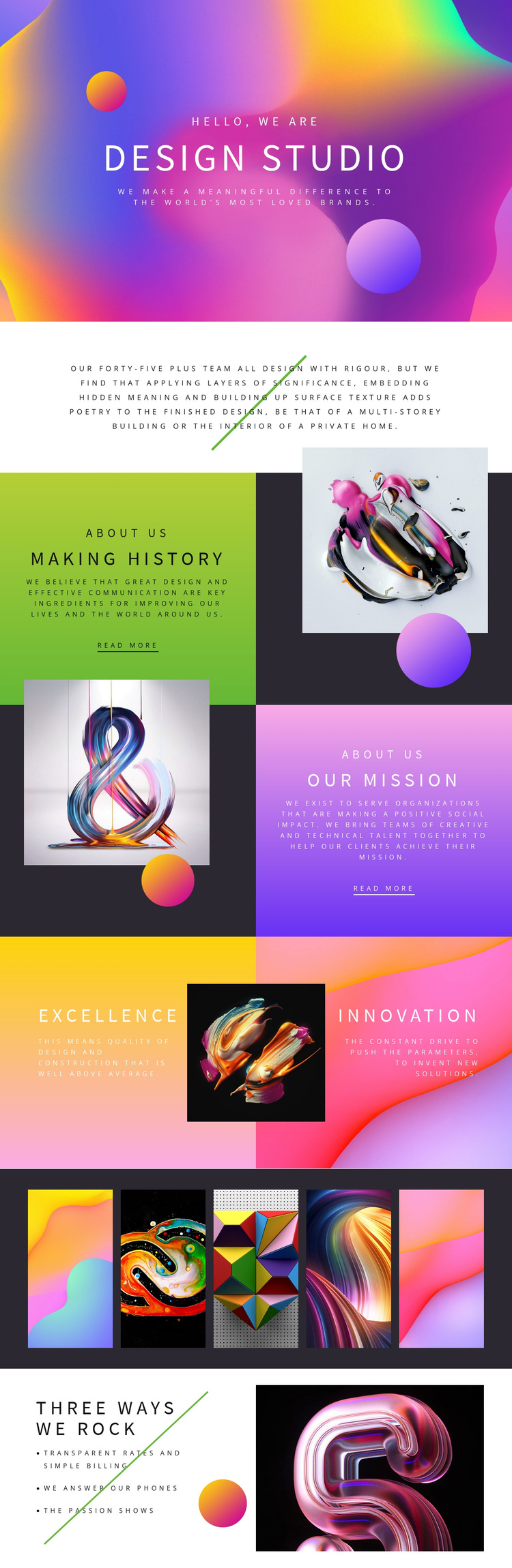
The design divides studio information into content regions that can be understood and maintained separately in a CMS-managed website. The opening “design studio” statement establishes the shared identity, while the centered paragraph supplies a concise overview of the team and its design philosophy. “Making history” and “OUR MISSION” then provide two structured informational areas, each with its own artwork panel and read-more action. Their alternating arrangement keeps related content coordinated without making the sections visually identical.
The “Excellence” and “Innovation” panels create another useful grouping for recurring studio values. They are followed by a five-image artwork strip that can represent a visual showcase area, while “Three Ways We Rock” presents three distinct qualities: Transparent Rates and Simple Billing, We Answer Our Phones, and The Passion Shows. Together, these sections create a practical content hierarchy around identity, statements, values, visual work, and service expectations.
For a Joomla project, that organization provides recognizable regions for managing studio information while preserving the design’s strong visual relationships. The template does not establish specific Joomla Articles or modules by itself, but its separated text panels, artwork areas, repeated showcase images, and closing list give CMS-managed content a clear place within the page. The sample claims remain structural examples to replace with accurate studio information.
Customize with Nicepage
Open this ready-made template in the Joomla Page Builder and customize it visually in the Nicepage editor. Replace demo content, edit page sections, and adapt the design to your project without rebuilding the template from scratch.
Work With This Template in Joomla
Customize and Install the Joomla Template
Start with this ready-made template instead of building the Joomla design from scratch. Customize its layout, content, typography, images, sections, and other design elements visually in the Nicepage application, then export and install the Joomla Template, Nicepage Extension, and supported content on your Joomla website.
Edit the Template Directly in Joomla
After installation, you can edit the Joomla Template directly in Joomla with the Nicepage Joomla Extension. Customize the Header, Footer, Colors, Fonts, typography, and Page Templates from the Joomla workflow while keeping the site design connected with your CMS content.
Edit Joomla Articles Visually
Use the Nicepage Joomla Extension to open and edit Joomla Articles visually from the Joomla Administrator. Change text, images, sections, layouts, and other page content in the Nicepage editor while continuing to manage the Articles through Joomla.
Joomla Content and Template Integration
Use the customized template together with Joomla Articles, module Positions, menus, forms, Blog Pages, and other supported CMS elements. With the Nicepage Extension used as the Site Style Source, shared design settings can be applied across Joomla Articles while Joomla continues to provide the CMS environment for managing site content.
This workflow combines a ready-made Joomla Template with visual customization, direct template editing in Joomla, and continued content management through the Nicepage Joomla Extension.