How the restaurant works Joomla Template


Numbered Bakery Questions Create a Structured Joomla Content Region
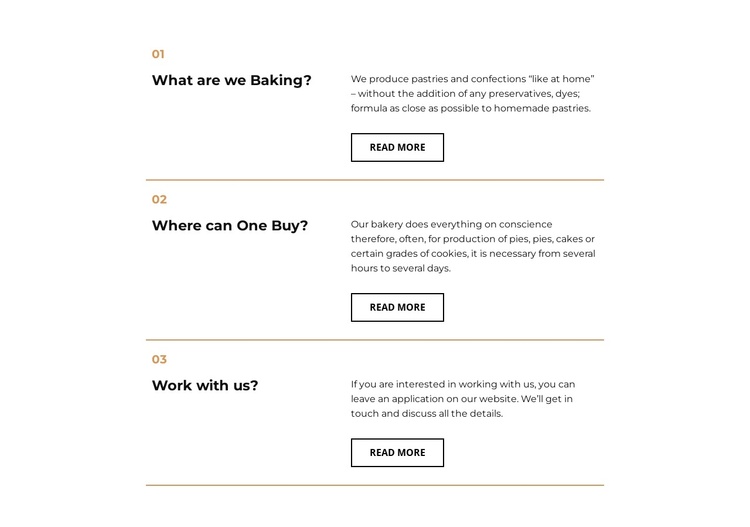
The numbered headings give this section a clear sequence of informational units for a Joomla-managed page. “What are we Baking?” introduces pastries and confections made without preservatives or dyes. “Where can One Buy?” turns to pies, cakes, and cookies and explains that production may require several hours to several days. “Work with us?” shifts from product information to an invitation to leave an application and discuss work details. These subjects can function as related structured content while remaining separate from the wider site's navigation and editorial organization.
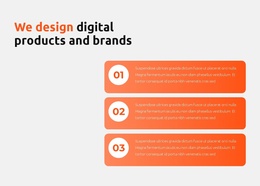
The layout reinforces that structure through three repeated rows. Each row keeps the question and bold heading in a left column, then places the answer and outlined Read more button in a right column. The small gold numbers identify the entries, while thin horizontal gold lines mark the boundaries between them. Black typography on white preserves a restrained reading surface, and generous vertical spacing prevents the question-and-answer pairs from merging into one long paragraph.
Within a Joomla-oriented project, this block can serve as a stable informational region for bakery content while the broader site manages other pages and editorial material. Nicepage supports Joomla content workflows, but the section itself remains a reusable visual arrangement rather than a standalone Joomla template. Its value lies in keeping three related questions, answers, and follow-up destinations visibly organized within one page area.
Customize with Nicepage
Open this ready-made template in the Joomla Page Builder and customize it visually in the Nicepage editor. Replace demo content, edit page sections, and adapt the design to your project without rebuilding the template from scratch.
Edit Template Offline
2. Create a new page or select existing
3. Click Add new block, search for id 1672629 and click enter
Edit Template Online
Create Awesome Websites


Free Nicepage Builder
Keywords
Work With This Template in Joomla
Customize and Install the Joomla Template
Start with this ready-made template instead of building the Joomla design from scratch. Customize its layout, content, typography, images, sections, and other design elements visually in the Nicepage application, then export and install the Joomla Template, Nicepage Extension, and supported content on your Joomla website.
Edit the Template Directly in Joomla
After installation, you can edit the Joomla Template directly in Joomla with the Nicepage Joomla Extension. Customize the Header, Footer, Colors, Fonts, typography, and Page Templates from the Joomla workflow while keeping the site design connected with your CMS content.
Edit Joomla Articles Visually
Use the Nicepage Joomla Extension to open and edit Joomla Articles visually from the Joomla Administrator. Change text, images, sections, layouts, and other page content in the Nicepage editor while continuing to manage the Articles through Joomla.
Joomla Content and Template Integration
Use the customized template together with Joomla Articles, module Positions, menus, forms, Blog Pages, and other supported CMS elements. With the Nicepage Extension used as the Site Style Source, shared design settings can be applied across Joomla Articles while Joomla continues to provide the CMS environment for managing site content.
This workflow combines a ready-made Joomla Template with visual customization, direct template editing in Joomla, and continued content management through the Nicepage Joomla Extension.