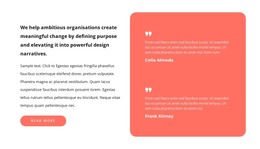
Read expert opinion HTML Template


A Portrait-Led Testimonial Section for Static HTML
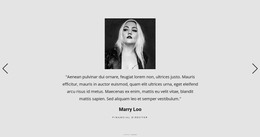
The large portrait on the left gives this section an immediate visual entry point, while the right column carries the testimonial message and its attribution. A large quotation mark separates the quote from ordinary paragraph content and makes the purpose of the section clear even though the block has no heading. Beneath the quote, the muted pink author card introduces the label “Linda Hudson” alongside a circular portrait, creating a compact relationship between the statement and its attributed speaker.
As a ready-made section inside a static HTML page, this arrangement already covers the core presentation of one testimonial without requiring a card grid, a carousel, or additional interaction. The light neutral background and generous whitespace give the quote room to remain readable while keeping the portrait visually distinct. Its centered vertical alignment also helps the two columns feel connected rather than like unrelated image and text areas.
The surrounding static page can supply navigation, introductory content, other proof sections, or a contact area, while this block retains its narrower role as testimonial content. It is therefore useful when a page needs a finished social-proof section with editorial image emphasis and a clearly separated author treatment. The section can be adapted within the containing HTML project without changing that underlying quote-to-portrait relationship.
Customize with Nicepage
Open this ready-made template in the HTML Builder and customize it visually in the Nicepage editor. Replace demo content, edit page sections, and adapt the design to your project without rebuilding the template from scratch.
Edit Template Offline
2. Create a new page or select existing
3. Click Add new block, search for id 746114 and click enter
Edit Template Online
Create Awesome Websites


Free Nicepage Builder
Keywords
Use This Block in a Static HTML Page
Start With a Ready-Made Section
A block provides one prepared content area that can be combined with other sections to build a static HTML page. Customize its text, images, spacing, colors, and other elements in the Nicepage editor while keeping the block focused on its own purpose, such as services, testimonials, pricing, contact information, or visual presentation.
Export the Containing HTML Project
When the page or website that contains the block is ready, use HTML Export to create the files required for a static HTML project. The export applies to the containing page/site rather than turning one individual block into a complete website by itself.
Reuse the Section Within the Project
The same block design can be adapted as one content section within a larger static site. Other Blocks can provide navigation, introductions, portfolios, forms, footers, and additional page content while this section keeps its own verified content and layout role.
This workflow makes the block useful as a ready-made section inside a static HTML implementation, with export and deployment handled at the page or website level.