Art Nouveau gallery HTML Template


Four Photographs and One Quote Form a Ready-Made Static Section
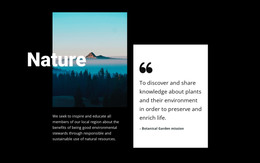
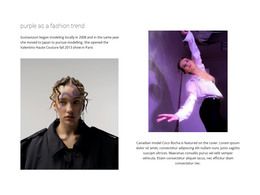
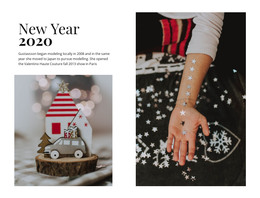
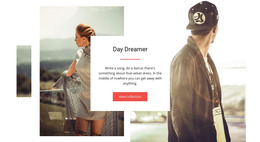
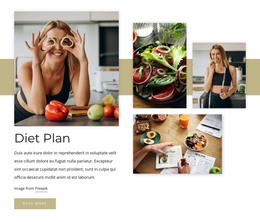
The gallery arrives as a finished visual arrangement rather than an empty image container. Four photographic tiles are distributed through an asymmetrical collage, with a large horizontal image at the upper left and a portrait-oriented image at the upper right. The lower portion adds another image alongside a centered quotation panel, so the section combines visual material and editorial text within one bounded composition.
Inside a static HTML page, this arrangement can carry a complete gallery message for its own section while surrounding content supplies the page title, navigation, and other destinations. The quotation, “In every walk with nature, one receives far more than he seeks,” functions as the reflective text element rather than a direct action. White space around the collage keeps the five parts legible, and the light-gray panel separates the quotation from the muted neutral photography. Varied rectangular crops add visual pacing without requiring a carousel or other interaction; the block is static. As a ready-made HTML section, it is most useful when a page needs an editorial gallery with a mixture of portrait and horizontal imagery, rather than a uniform row of thumbnails. The surrounding static project can place it between introductory or informational sections while preserving its internal image-and-quote relationship.
Customize with Nicepage
Open this ready-made template in the HTML Builder and customize it visually in the Nicepage editor. Replace demo content, edit page sections, and adapt the design to your project without rebuilding the template from scratch.
Edit Template Offline
2. Create a new page or select existing
3. Click Add new block, search for id 664356 and click enter
Edit Template Online
Create Awesome Websites


Free Nicepage Builder
Keywords
Use This Block in a Static HTML Page
Start With a Ready-Made Section
A block provides one prepared content area that can be combined with other sections to build a static HTML page. Customize its text, images, spacing, colors, and other elements in the Nicepage editor while keeping the block focused on its own purpose, such as services, testimonials, pricing, contact information, or visual presentation.
Export the Containing HTML Project
When the page or website that contains the block is ready, use HTML Export to create the files required for a static HTML project. The export applies to the containing page/site rather than turning one individual block into a complete website by itself.
Reuse the Section Within the Project
The same block design can be adapted as one content section within a larger static site. Other Blocks can provide navigation, introductions, portfolios, forms, footers, and additional page content while this section keeps its own verified content and layout role.
This workflow makes the block useful as a ready-made section inside a static HTML implementation, with export and deployment handled at the page or website level.