Online Cinema Movies HTML Template



Edit Template Offline
2. Create new page and search for id 6637729
Edit Template Online
Create Awesome Websites


Free Nicepage Builder
Keywords
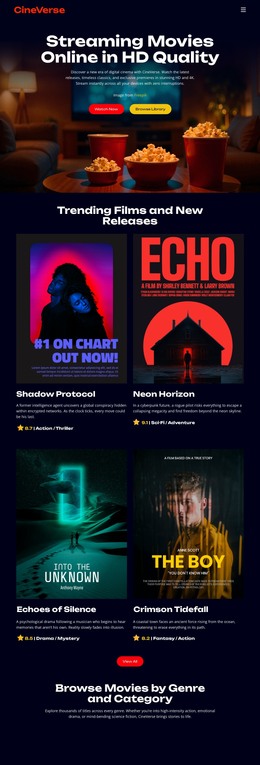
A Four-Card Movie Catalog Leads Into a Complete Static Page
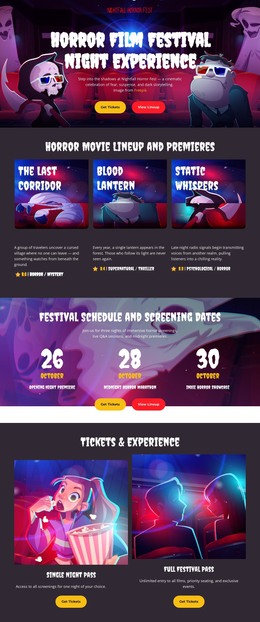
The page already combines the major content groups needed for a standalone movie-streaming presentation. Its opening Text On Image section introduces the viewing proposition with a large cinematic background, a supporting description, and two clearly labeled actions. The next section turns that promise into visible content through four movie cards carrying poster artwork, titles, genre labels, and release or feature metadata. This gives a static implementation more substance than a hero-only concept.
The category area broadens the page from featured titles to browsing by Action & Adventure, Drama & Romance, Sci-Fi & Fantasy, Horror & Thriller, and Documentary. The five repeated pill-shaped controls create a visible organization for the library, even though the supplied design does not prove that filtering functionality is already connected. Three service benefits then explain the offer through Ultra HD Streaming, No Ads Experience, and Multi-Device Access, preparing the visitor for the final Watch Now prompt. Theater imagery returns behind that closing action, and the CineVerse footer provides a compact endpoint for the page. As an HTML Template, the design is useful because its introduction, discovery content, category structure, service explanation, response areas, and footer are already arranged as one coherent static page rather than a collection of isolated visual samples.
Customize with Nicepage
Open this ready-made template in the HTML Builder and customize it visually in the Nicepage editor. Replace demo content, edit page sections, and adapt the design to your project without rebuilding the template from scratch.
Export and Use This Template as an HTML Website
Create a Portable HTML Website
When the template is ready, use the HTML Export option to create a static website with the files required for deployment. The exported website can be used independently of the Nicepage editor and deployed on your preferred hosting.
Nicepage also provides SEO settings and optimization features, including Page Titles and Descriptions, Canonical settings, headings, image Alt Text, and other page-level properties that help prepare the website for search engines.
Deploy Without a CMS
Upload the finished website to the hosting environment that fits your project. Because the exported site does not require WordPress, Joomla, or another CMS to deliver its pages, it can be placed on your own server, uploaded to a hosting provider, or deployed through an existing web infrastructure.
Hand Off the Website Files
The generated website files can also be provided to a client, developer, or hosting team. They remain available outside the Nicepage editor for deployment, technical review, or project-specific development when additional work is required.
This workflow makes the template a practical foundation for a portable static website that can be exported from the Nicepage editor and deployed independently.

More from Music & Entertainment HTML Templates
-
Free Website Builder SoftwareDownload