Driving Green with EVs HTML Template


Three Rounded Tiles Form a Ready-Made Static HTML Section
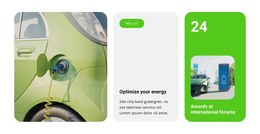
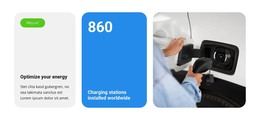
The first tile gives the section its explanatory entry point through the “Why us?” label, the “Optimize your energy” heading, and supporting copy. The second tile turns the displayed 860 figure into a separate visual highlight by pairing large white numerals with the “Charging stations installed worldwide” label on a bright blue surface. The third tile completes the arrangement with a photograph of an electric vehicle charging connection. These roles are already grouped into one static, three-column section rather than requiring the containing page to invent the content relationship.
Used inside a static HTML page, the block can communicate an energy or electric-vehicle infrastructure message as one finished content area. The rounded corners, generous gaps, and contrasting gray, blue, and photographic treatments keep the three tile types distinct while preserving a unified appearance. The static interaction also means the value proposition, displayed figure, and image remain visible together without depending on tabs, sliders, forms, or other confirmed interactive behavior.
The surrounding HTML page can provide its own introduction, navigation, detailed service information, or contact content. This block contributes the specific highlight arrangement: message first, displayed installation figure second, and charging imagery third. Its ready-made structure is therefore useful for static implementation because the section has a clear internal purpose and visual boundary while remaining one reusable part of the broader page or site.
Customize with Nicepage
Open this ready-made template in the HTML Builder and customize it visually in the Nicepage editor. Replace demo content, edit page sections, and adapt the design to your project without rebuilding the template from scratch.
Edit Template Offline
2. Create a new page or select existing
3. Click Add new block, search for id 6406991 and click enter
Edit Template Online
Create Awesome Websites


Free Nicepage Builder
Keywords
Use This Block in a Static HTML Page
Start With a Ready-Made Section
A block provides one prepared content area that can be combined with other sections to build a static HTML page. Customize its text, images, spacing, colors, and other elements in the Nicepage editor while keeping the block focused on its own purpose, such as services, testimonials, pricing, contact information, or visual presentation.
Export the Containing HTML Project
When the page or website that contains the block is ready, use HTML Export to create the files required for a static HTML project. The export applies to the containing page/site rather than turning one individual block into a complete website by itself.
Reuse the Section Within the Project
The same block design can be adapted as one content section within a larger static site. Other Blocks can provide navigation, introductions, portfolios, forms, footers, and additional page content while this section keeps its own verified content and layout role.
This workflow makes the block useful as a ready-made section inside a static HTML implementation, with export and deployment handled at the page or website level.