Perfect snow mountain HTML Template


A ready-made static section for outdoor imagery
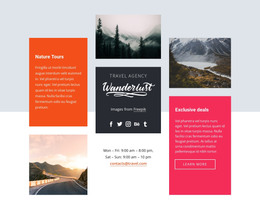
The four-panel arrangement already carries a complete visual gallery message within its own section boundaries. The upper pair presents mountain landscapes, with different widths creating a slightly asymmetric entry into the composition. The lower-left image shifts the scene toward a misty forest and lake, while the lower-right image introduces a person participating in a snow sport. Together, these panels cover several connected aspects of outdoor travel imagery without requiring a long text explanation inside the section.
The cyan-blue rectangular shape gives the collage a stable graphic base, and the surrounding white margins keep the photographs distinct from the page area around them. That combination makes the block straightforward to place as one prepared visual section inside a static HTML page. Neighboring sections can provide headings, navigation, descriptions, or further travel content, while this block retains its role as an image-led gallery region.
The varied widths in the upper row are part of the ready-made arrangement rather than incidental decoration. They create a visual rhythm that should be preserved when the images are replaced or refined. In a static HTML context, the section can therefore supply a finished collage structure for mountain, lake, forest, and winter-sport imagery, with the containing page providing the broader flow and supporting content.
Customize with Nicepage
Open this ready-made template in the HTML Builder and customize it visually in the Nicepage editor. Replace demo content, edit page sections, and adapt the design to your project without rebuilding the template from scratch.
Edit Template Offline
2. Create a new page or select existing
3. Click Add new block, search for id 59938 and click enter
Edit Template Online
Create Awesome Websites


Free Nicepage Builder
Keywords
Use This Block in a Static HTML Page
Start With a Ready-Made Section
A block provides one prepared content area that can be combined with other sections to build a static HTML page. Customize its text, images, spacing, colors, and other elements in the Nicepage editor while keeping the block focused on its own purpose, such as services, testimonials, pricing, contact information, or visual presentation.
Export the Containing HTML Project
When the page or website that contains the block is ready, use HTML Export to create the files required for a static HTML project. The export applies to the containing page/site rather than turning one individual block into a complete website by itself.
Reuse the Section Within the Project
The same block design can be adapted as one content section within a larger static site. Other Blocks can provide navigation, introductions, portfolios, forms, footers, and additional page content while this section keeps its own verified content and layout role.
This workflow makes the block useful as a ready-made section inside a static HTML implementation, with export and deployment handled at the page or website level.