School of artistic education HTML Template


Edit Template Offline
2. Create new page and search for id 34007
Edit Template Online
Create Awesome Websites


Free Nicepage Builder
Keywords
Six Programs and a Closing Inquiry Area Form a Complete Static Page
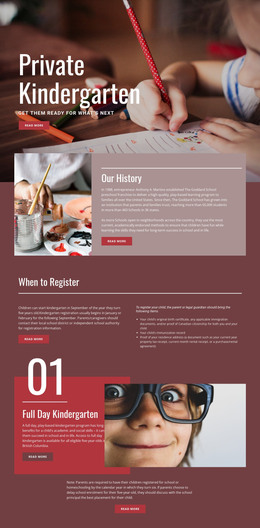
The page already brings together the major content needed for a standalone educational presentation. A full-width hero introduces the art school immediately, while the following About section explains the children’s educational focus through a clear heading-and-copy arrangement. The six named programs then turn that introduction into specific content: visitors can distinguish Art Exploration, Fine Art Fundamentals, Advanced Exploration, seasonal camps, general classes, and Homeschool Art within one repeated program area.
Visual proof and supporting information follow rather than appearing as isolated decoration. The six-image gallery shows artwork and activities, the dark split section adds a Read more action, and the three-image strip provides another continuous presentation of creative work. A blue band with four displayed metrics supplies a compact information break before the final contact area. Because that ending combines contact details, social links, and a message form, the page does not stop at a visual concept; it provides a recognizable place for questions and inquiries. As a static HTML implementation, its value is the finished arrangement of introduction, offerings, imagery, supporting highlights, and contact content, not merely the presence of individual design sections.
Customize with Nicepage
Open this ready-made template in the HTML Builder and customize it visually in the Nicepage editor. Replace demo content, edit page sections, and adapt the design to your project without rebuilding the template from scratch.
Export and Use This Template as an HTML Website
Create a Portable HTML Website
When the template is ready, use the HTML Export option to create a static website with the files required for deployment. The exported website can be used independently of the Nicepage editor and deployed on your preferred hosting.
Nicepage also provides SEO settings and optimization features, including Page Titles and Descriptions, Canonical settings, headings, image Alt Text, and other page-level properties that help prepare the website for search engines.
Deploy Without a CMS
Upload the finished website to the hosting environment that fits your project. Because the exported site does not require WordPress, Joomla, or another CMS to deliver its pages, it can be placed on your own server, uploaded to a hosting provider, or deployed through an existing web infrastructure.
Hand Off the Website Files
The generated website files can also be provided to a client, developer, or hosting team. They remain available outside the Nicepage editor for deployment, technical review, or project-specific development when additional work is required.
This workflow makes the template a practical foundation for a portable static website that can be exported from the Nicepage editor and deployed independently.

More from Education HTML Templates
-
Free Website Builder SoftwareDownload