International language school HTML Template


Edit Template Offline
2. Create new page and search for id 18696
Edit Template Online
Create Awesome Websites


Free Nicepage Builder
Keywords
A Complete Course Presentation From Introduction to Contact
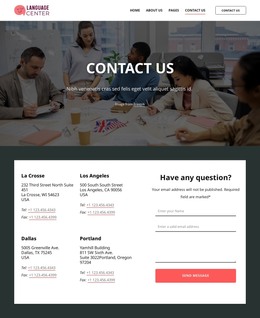
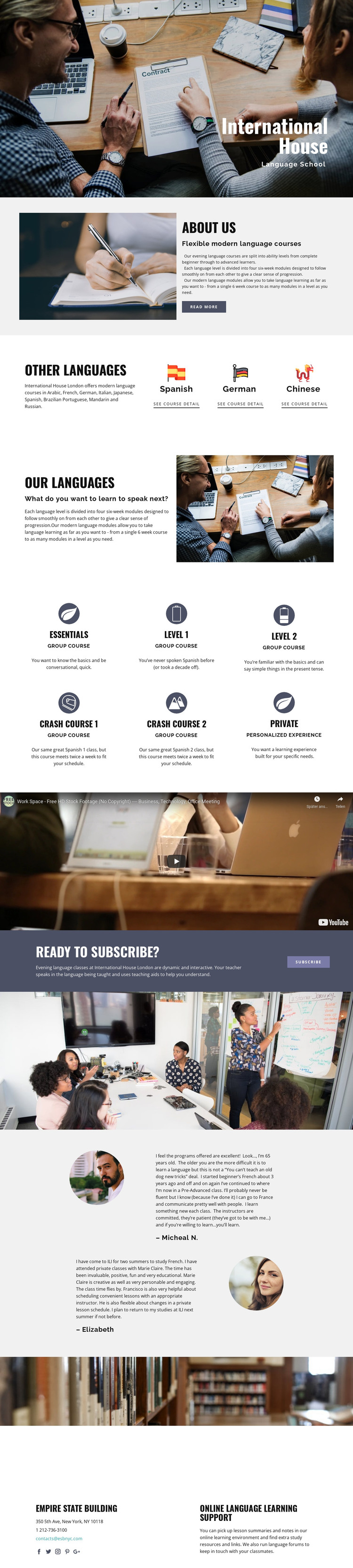
The page already contains the content sequence needed for a self-contained language school presentation. The hero establishes International House and the Language School context through a large study photograph, while the about section explains flexible modern courses and progression through ability levels. Visitors can then compare language choices and move into a more detailed program overview rather than encountering an isolated promotional headline.
The six course descriptions give the static page meaningful coverage. Essentials, Crash Course 1, Crash Course 2, level 1, level 2, group course, and private learning ideas show how the design can present both structured progression and different study formats. The video adds a dedicated media break, helping separate course information from the enrollment prompt without requiring another page. The testimonial section then supplies learner-oriented context before the final contact area.
That completeness is useful for a standalone HTML implementation because the major informational roles are already represented: introduction, explanation, choice, course detail, media, response, reassurance, and support. The “Ready to subscribe?” callout gives the page a visible enrollment endpoint, while the final contact block connects the educational offer with online resources and forums. The structure can therefore be adapted with verified course content without first rebuilding the essential page sections.
Customize with Nicepage
Open this ready-made template in the HTML Builder and customize it visually in the Nicepage editor. Replace demo content, edit page sections, and adapt the design to your project without rebuilding the template from scratch.
Export and Use This Template as an HTML Website
Create a Portable HTML Website
When the template is ready, use the HTML Export option to create a static website with the files required for deployment. The exported website can be used independently of the Nicepage editor and deployed on your preferred hosting.
Nicepage also provides SEO settings and optimization features, including Page Titles and Descriptions, Canonical settings, headings, image Alt Text, and other page-level properties that help prepare the website for search engines.
Deploy Without a CMS
Upload the finished website to the hosting environment that fits your project. Because the exported site does not require WordPress, Joomla, or another CMS to deliver its pages, it can be placed on your own server, uploaded to a hosting provider, or deployed through an existing web infrastructure.
Hand Off the Website Files
The generated website files can also be provided to a client, developer, or hosting team. They remain available outside the Nicepage editor for deployment, technical review, or project-specific development when additional work is required.
This workflow makes the template a practical foundation for a portable static website that can be exported from the Nicepage editor and deployed independently.

More from Education HTML Templates
-
Free Website Builder SoftwareDownload