Innovative trends in fashion HTML Template


Edit Template Offline
2. Create new page and search for id 32150
Edit Template Online
Create Awesome Websites


Free Nicepage Builder
Keywords
Three Numbered Stories Form a Complete Editorial HTML Page
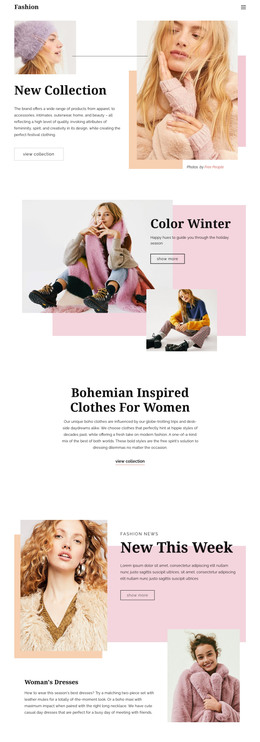
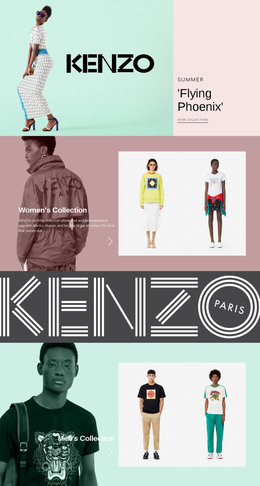
The page already contains the main ingredients of a standalone static editorial presentation. It opens with a layered “Fashion Trends” feature, where fashion photography, geometric color fields, decorative artwork, and a framed text panel establish the visual subject before the reader reaches the longer articles. The structure then moves into image-led gallery sections and numbered stories, creating a finished sequence rather than an isolated hero concept.
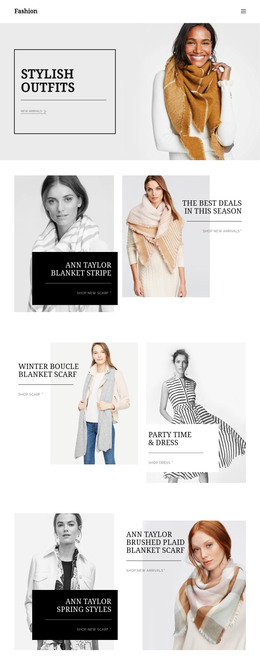
The three editorial features provide clear content coverage within one HTML page. The first discusses entering the modeling world, the second focuses on platform sandals as a summer trend, and the third explores ways to wear a vest. Each topic is supported by fashion imagery and explanatory copy, while the galleries add visual evidence and credited external sources between the text-led sections. A “Read more” link gives the article presentation a natural continuation point without changing the page’s editorial focus.
The muted navy, peach, cream, and white palette keeps the varied imagery connected, and the repeated framed panels help the sections feel related. The dark footer adds navigation and social links, giving the static implementation a clear closing region. Together, the article sequence, galleries, credits, footer, and social destinations provide a coherent HTML page foundation for fashion media content.
Customize with Nicepage
Open this ready-made template in the HTML Builder and customize it visually in the Nicepage editor. Replace demo content, edit page sections, and adapt the design to your project without rebuilding the template from scratch.
Export and Use This Template as an HTML Website
Create a Portable HTML Website
When the template is ready, use the HTML Export option to create a static website with the files required for deployment. The exported website can be used independently of the Nicepage editor and deployed on your preferred hosting.
Nicepage also provides SEO settings and optimization features, including Page Titles and Descriptions, Canonical settings, headings, image Alt Text, and other page-level properties that help prepare the website for search engines.
Deploy Without a CMS
Upload the finished website to the hosting environment that fits your project. Because the exported site does not require WordPress, Joomla, or another CMS to deliver its pages, it can be placed on your own server, uploaded to a hosting provider, or deployed through an existing web infrastructure.
Hand Off the Website Files
The generated website files can also be provided to a client, developer, or hosting team. They remain available outside the Nicepage editor for deployment, technical review, or project-specific development when additional work is required.
This workflow makes the template a practical foundation for a portable static website that can be exported from the Nicepage editor and deployed independently.