Personal shopper service HTML Template


Edit Template Offline
2. Create new page and search for id 23188
Edit Template Online
Create Awesome Websites


Free Nicepage Builder
Keywords
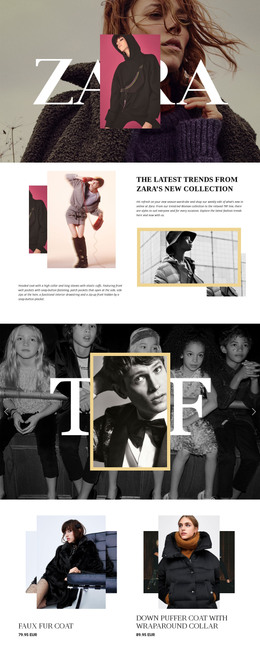
Editorial Promotions Form a Complete Static Storefront Page
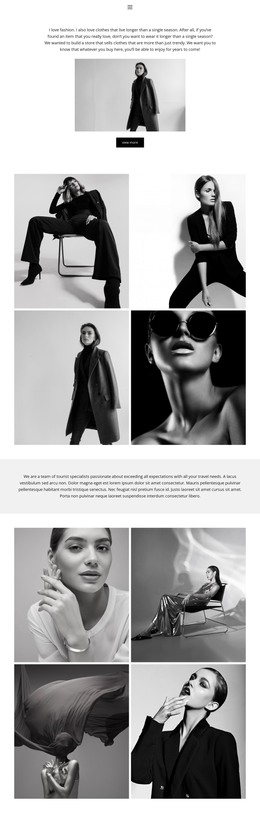
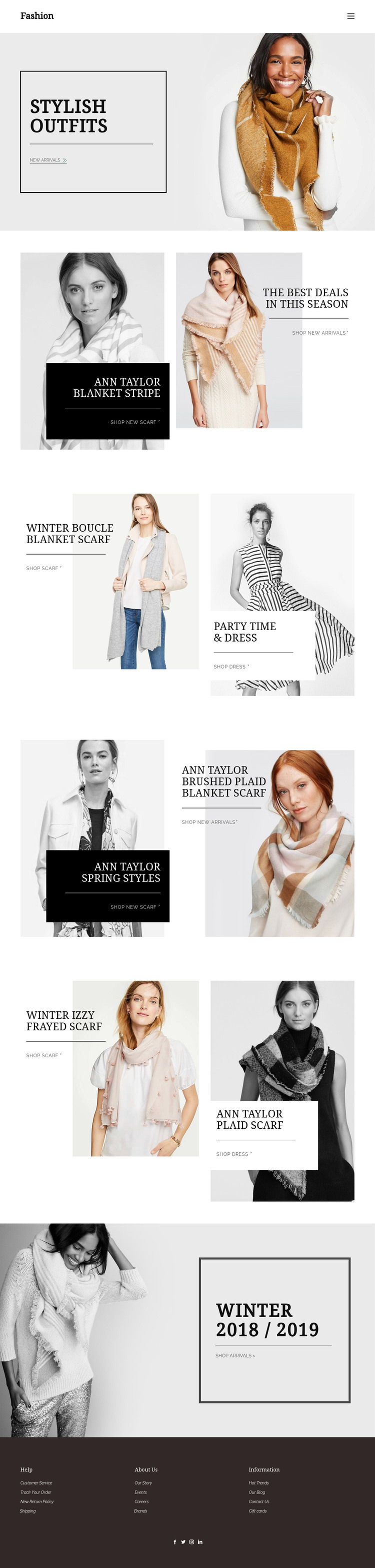
The opening Stylish Outfits section gives the page an immediate fashion focus by pairing a model image with a bordered promotional panel and a new-arrivals link. From there, the layout continues as a finished sequence of product-led content rather than a collection of disconnected images. The Blanket Stripe promotion introduces seasonal deals and scarf shopping, while the Winter Boucle Blanket Scarf section adds a second accessory focus alongside Party Time & Dress content.
Further split sections extend the same static presentation into spring styles, plaid accessories, and the Winter 2018 / 2019 campaign. Each block combines image-led merchandising with concise labels and shopping links, so a visitor can move from visual discovery to a relevant product category without needing a separate introductory explanation. The repeated two-panel format also gives the page a consistent implementation pattern for replacing demo imagery and copy with a retailer's own collection.
The footer completes the standalone page with Customer Service, Track Your Order, returns, shipping, company information, events, brands, and social links. Together, these areas give the design the major content coverage expected from a self-contained fashion storefront page, while its static arrangement remains focused on presentation rather than complex site architecture.
Customize with Nicepage
Open this ready-made template in the HTML Builder and customize it visually in the Nicepage editor. Replace demo content, edit page sections, and adapt the design to your project without rebuilding the template from scratch.
Export and Use This Template as an HTML Website
Create a Portable HTML Website
When the template is ready, use the HTML Export option to create a static website with the files required for deployment. The exported website can be used independently of the Nicepage editor and deployed on your preferred hosting.
Nicepage also provides SEO settings and optimization features, including Page Titles and Descriptions, Canonical settings, headings, image Alt Text, and other page-level properties that help prepare the website for search engines.
Deploy Without a CMS
Upload the finished website to the hosting environment that fits your project. Because the exported site does not require WordPress, Joomla, or another CMS to deliver its pages, it can be placed on your own server, uploaded to a hosting provider, or deployed through an existing web infrastructure.
Hand Off the Website Files
The generated website files can also be provided to a client, developer, or hosting team. They remain available outside the Nicepage editor for deployment, technical review, or project-specific development when additional work is required.
This workflow makes the template a practical foundation for a portable static website that can be exported from the Nicepage editor and deployed independently.

More from Fashion & Beauty HTML Templates
-
Free Website Builder SoftwareDownload