We marry people around the Clobe Html Code Example


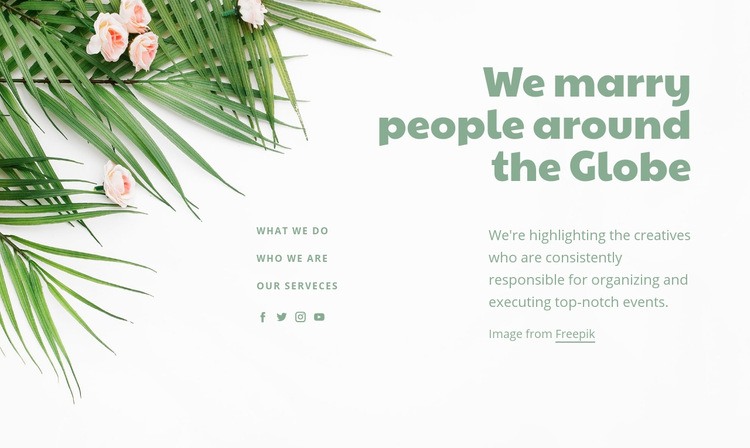
Three Content Areas Surround a Floral Event Image
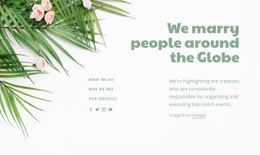
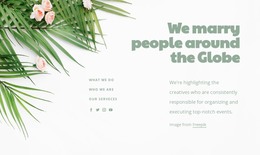
The floral image on the left establishes the section’s visual setting, while the large heading on the upper right introduces the message, “We marry people around the Globe.” Beneath that heading, the supporting paragraph identifies creatives responsible for organizing and executing events. This combination gives the block a clear introductory function without requiring it to carry an entire event-planning page.
The three link labels—“What We Do,” “Who we are,” and “our Serveces”—create distinct routes into related content. Their small uppercase muted-green treatment contrasts with the larger heading and keeps the navigation-style layer visually subordinate to the main statement. The four social links add a separate communication route, and the Freepik attribution remains part of the image context rather than the central message.
In a broader website project, this block can work as a reusable introduction for an event-planning section, with other blocks providing detailed services, portfolios, schedules, or contact content. When adapted as a Website Template section, its value lies in the stable relationship between the floral image, right-aligned statement, concise explanatory copy, and compact link group. The structure can be reused while the surrounding project supplies the wider navigation and page sequence.
Customize with Nicepage
Open this ready-made template in the HTML Code Generator and customize it visually in the Nicepage editor. Replace demo content, edit page sections, and adapt the design to your project without rebuilding the template from scratch.
Edit Template Offline
2. Create a new page or select existing
3. Click Add new block, search for id 238180 and click enter
Edit Template Online
Create Awesome Websites


Free Nicepage Builder
Keywords
Extend This Page With Custom HTML Code
Insert Code With the HTML Element
Use the HTML Element to add custom code directly to a Block in the Nicepage editor. Enter the required markup in the Code field when the page needs content or functionality that is not available through the standard page elements.
Place the HTML Element in the Layout
Treat the HTML Element as part of the visual page composition. Adjust its position, width, height, alignment, and margins to place the custom content where it belongs alongside text, images, buttons, and other elements. This makes it possible to combine visually edited sections with project-specific code without separating the custom element from the rest of the layout.
Add HTML, CSS, JavaScript, and External Components
The HTML Element supports HTML, CSS, and JavaScript, allowing you to extend the page with custom markup and interactive functionality. It can also be used to embed custom code and third-party components, such as social feeds, advertising code, widgets, or other external functionality required by the project.
This workflow makes the template useful for projects that need a visual page editor together with custom HTML code, JavaScript, embedded components, and functionality beyond the standard page elements.

Design Set (22)
-

-
-
-
-
-
-
-
Customize Any TemplateDownload
-
-
-
-
-
-
-
-
-
-
-
-

More from Wedding Blocks
-
-
-
-
-
-
-
-
-
-
-
Customize Any TemplateDownload
-
-
-
-
-
-
-
-
-
-


More from Text On Image Blocks
-

-
-
-
-
-
-
-
-
-
-
Customize Any TemplateDownload
-
-
-
-
-
-
-
-
-
-