Moments of wedding Html Code Example


Edit Template Offline
2. Create new page and search for id 16742
Edit Template Online
Create Awesome Websites


Free Nicepage Builder
Keywords
Galleries and Service Areas Leave Room for Project-Specific Extensions
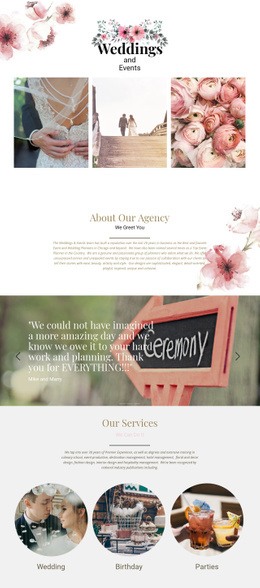
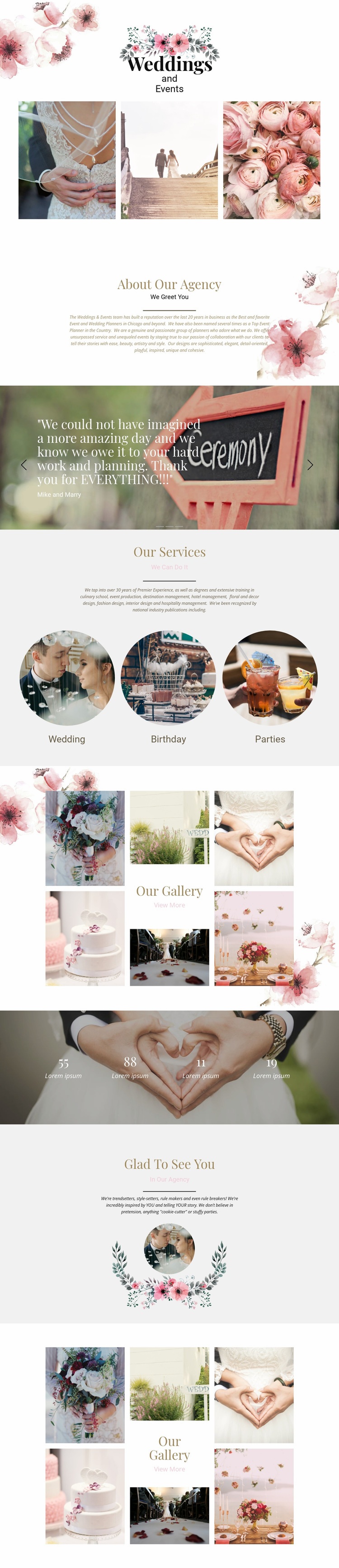
The opening photograph group, service categories, testimonials, and two gallery presentations create clearly defined content zones around which additional functionality could be placed. A custom component could accompany the event imagery when the project needs a specialized portfolio viewer, external booking interface, or another interaction that is not represented by the existing standard sections. The page’s structure is already divided into an introduction, agency information, services, proof, and visual portfolio content, so an extension can be associated with the most relevant area rather than added without context.
The three testimonial slides are especially useful as a potential integration point because they establish a rotating presentation with existing navigation controls and centered text. The four counters provide another discrete region where project-specific data or an external information element might eventually be introduced, although the displayed values themselves are sample content and should not be treated as verified achievements. Custom HTML, CSS, JavaScript, or an external component could therefore supplement the design while preserving its floral imagery, centered alignment, and generous spacing. The result would remain recognizably the same wedding and event page, with added functionality attached to real content relationships instead of replacing the visual foundation.
Customize with Nicepage
Open this ready-made template in the HTML Code Generator and customize it visually in the Nicepage editor. Replace demo content, edit page sections, and adapt the design to your project without rebuilding the template from scratch.
Extend This Page With Custom HTML Code
Insert Code With the HTML Element
Use the HTML Element to add custom code directly to a Block in the Nicepage editor. Enter the required markup in the Code field when the page needs content or functionality that is not available through the standard page elements.
Place the HTML Element in the Layout
Treat the HTML Element as part of the visual page composition. Adjust its position, width, height, alignment, and margins to place the custom content where it belongs alongside text, images, buttons, and other elements. This makes it possible to combine visually edited sections with project-specific code without separating the custom element from the rest of the layout.
Add HTML, CSS, JavaScript, and External Components
The HTML Element supports HTML, CSS, and JavaScript, allowing you to extend the page with custom markup and interactive functionality. It can also be used to embed custom code and third-party components, such as social feeds, advertising code, widgets, or other external functionality required by the project.
This workflow makes the template useful for projects that need a visual page editor together with custom HTML code, JavaScript, embedded components, and functionality beyond the standard page elements.