Protect The Oceans Html Code Example


Edit Template Offline
2. Create new page and search for id 14604
Edit Template Online
Create Awesome Websites


Free Nicepage Builder
Keywords
Cleanup Guidance Creates Clear Extension Points for Marine Information
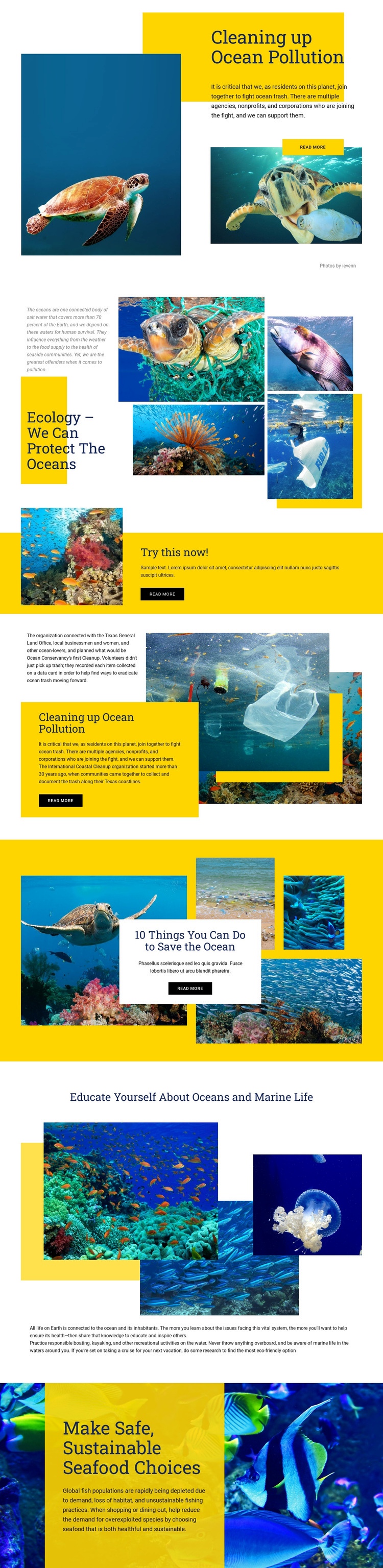
The opening pollution section, the ocean ecology collage, and the coastal cleanup content create distinct information zones rather than one undifferentiated text area. Each zone already has a clear subject: the first introduces ocean pollution, the second places environmental explanation beside multiple underwater images, and the fourth discusses cleanup participation and the history of the International Coastal Cleanup. That separation gives custom code a logical place to extend the page if the project later needs an external resource, data display, or project-specific interactive element beside one topic.
The yellow action band titled “Try this now!” provides another useful integration point because it interrupts the editorial sequence with a short prompt and a dark button. A custom component could support that action without changing the surrounding image-led structure. Likewise, the closing material on sustainable seafood, responsible boating, kayaking, and eco-friendly cruise research can remain readable as standard page content while additional functionality is kept close to the relevant subject. The page therefore offers an established visual arrangement for extending conservation information, rather than requiring custom functionality to define the design from the beginning.
Customize with Nicepage
Open this ready-made template in the HTML Code Generator and customize it visually in the Nicepage editor. Replace demo content, edit page sections, and adapt the design to your project without rebuilding the template from scratch.
Extend This Page With Custom HTML Code
Insert Code With the HTML Element
Use the HTML Element to add custom code directly to a Block in the Nicepage editor. Enter the required markup in the Code field when the page needs content or functionality that is not available through the standard page elements.
Place the HTML Element in the Layout
Treat the HTML Element as part of the visual page composition. Adjust its position, width, height, alignment, and margins to place the custom content where it belongs alongside text, images, buttons, and other elements. This makes it possible to combine visually edited sections with project-specific code without separating the custom element from the rest of the layout.
Add HTML, CSS, JavaScript, and External Components
The HTML Element supports HTML, CSS, and JavaScript, allowing you to extend the page with custom markup and interactive functionality. It can also be used to embed custom code and third-party components, such as social feeds, advertising code, widgets, or other external functionality required by the project.
This workflow makes the template useful for projects that need a visual page editor together with custom HTML code, JavaScript, embedded components, and functionality beyond the standard page elements.

More from Nature Html Code Examples
-
Customize Any TemplateDownload