Breaking bad eating habits HTML5 Template


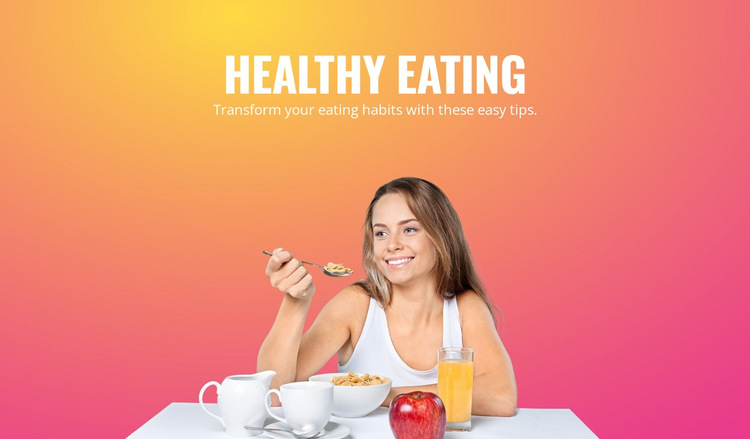
The Heading, Supporting Sentence, and Food Image Form a Clear Hierarchy
The internal organization begins with the “Healthy Eating” heading, which names the subject of the section. Directly associated with it is the supporting sentence, “Transform your eating habits with these easy tips.” Together, these two text elements form one centered introductory group rather than separate content columns. Their white treatment maintains a consistent text layer over the image area and keeps the message visually connected.
A second internal region is created by the lower-centered image subject: a woman eating with a spoon, surrounded by bowls, a cup, an apple, and an orange-colored drink. This visual group supports the text without introducing a separate interaction or content sequence. The warm gradient, transitioning from yellow and orange to pink, acts as the background field that binds both regions together. As an HTML5-oriented section, the useful reading order is therefore compact and local to the block: identify the topic, read the short explanation, then absorb the food-related visual context. The block’s static behavior keeps this hierarchy stable, while the containing page remains responsible for any broader navigation or additional sections.
Customize with Nicepage
Open this ready-made template in the HTML5 Template Builder and customize it visually in the Nicepage editor. Replace demo content, edit page sections, and adapt the design to your project without rebuilding the template from scratch.
Edit Template Offline
2. Create a new page or select existing
3. Click Add new block, search for id 62033 and click enter
Edit Template Online
Create Awesome Websites


Free Nicepage Builder
Keywords
Explore This HTML5 Template Structure
Navigate the Page Structure
Customize this ready-made HTML5 template visually in the Nicepage editor while keeping its page organization easy to understand. Use the Layers panel to view the hierarchy of the Header, Blocks, Containers, Elements, and Footer, navigate between different parts of the page, and quickly select items within the layout.
The Layers panel also provides practical controls for working with more complex pages. Blocks, Containers, and Elements can be renamed for easier identification, temporarily hidden while editing, or locked to prevent accidental changes. The outline can also expose the internal structure of elements such as Menus and Contact Forms.
Work With Organized Page Sections
Blocks divide the page into major content sections, while Containers and Elements organize the content inside them. Keeping this hierarchy visible makes it easier to understand how individual parts of the page relate to one another, especially when a layout contains many nested elements.
You can use the Layers panel to move through this structure instead of selecting everything directly on the canvas, making complex layouts easier to inspect and manage as an organized page hierarchy.
Review and Extend the HTML
After customizing the page visually, the resulting HTML can be reviewed and adapted when code-level changes are required. If a project needs additional markup or functionality beyond the standard page elements, use the HTML Element to add targeted custom HTML where necessary.
This workflow combines visual editing with a clear view of the page hierarchy, making the template useful both as a ready-made design and as an HTML5 project whose structure can be inspected, managed, adapted, and extended.

More from Food & Restaurant Blocks
-
-

-
-
-
-
-
-
-
-
-
Free Website Builder SoftwareDownload
-
-
-
-
-
-
-
-
-
-


More from Text On Image Blocks
-

-
-
-
-
-
-
-
-
-
-
Free Website Builder SoftwareDownload
-
-
-
-
-
-
-
-
-
-