Quick Internet setup WordPress Theme


Four stable benefits for a WordPress-managed services page
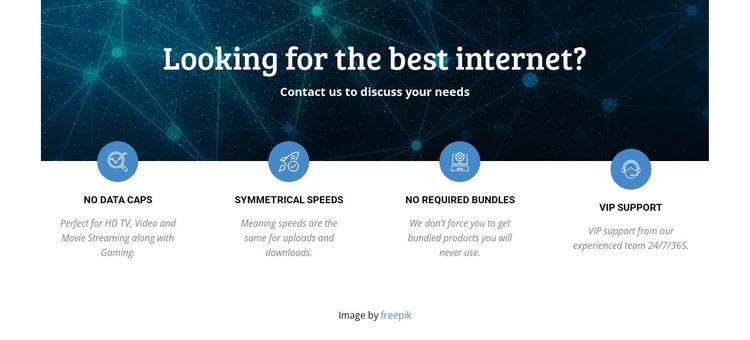
The heading and four labeled benefits read as stable page content for a WordPress-managed services area. “Looking for the best internet?” introduces the subject, while the supporting paragraph gives visitors a concise reason to continue through the feature row. The content is divided into four recognizable units: No Data Caps connects with HD TV, video, movie streaming, and gaming; Symmetrical Speeds describes matching upload and download performance; No Required Bundles communicates that bundled products are not forced; and VIP Support refers to an experienced team available 24/7/365.
The visual arrangement supports that page-content role without depending on a blog or changing editorial format. A dark blue network image occupies the upper portion, white text creates contrast within it, and the centered alignment keeps the introduction separate from the evenly spaced benefits below. Circular blue icons, uppercase labels, and muted descriptions provide a repeatable pattern that can remain consistent when the surrounding project contains other service information. The line “Contact us to discuss your needs” offers a natural bridge to a separate inquiry area. In a WordPress-oriented project, this block can therefore serve as a permanent services section while the wider site handles its other pages and managed content. It remains one reusable content area rather than a complete WordPress theme.
Customize with Nicepage
Open this ready-made template in the WordPress Website Builder and customize it visually in the Nicepage editor. Replace demo content, edit page sections, and adapt the design to your project without rebuilding the template from scratch.
Edit Template Offline
2. Create a new page or select existing
3. Click Add new block, search for id 69269 and click enter
Edit Template Online
Create Awesome Websites


Free Nicepage Builder
Keywords
Manage and Edit This Theme in WordPress
Customize and Install the WordPress Theme
Start with this ready-made theme instead of building the WordPress design from scratch. Customize its layout, content, typography, images, sections, and other design elements visually in Nicepage editor, then export and install the WordPress Theme, Plugin, and Pages on your WordPress site. The Nicepage WordPress Plugin lets you continue working with the site after installation.
Edit the Theme Directly in WordPress
After installation, you can edit the WordPress Theme directly in WordPress with the Nicepage WordPress Plugin. Use Site Style to customize site Colors, Fonts, Header, Footer, Blog, and Post Page Templates while working within your WordPress website.
Edit WordPress Pages Visually
Use the Nicepage WordPress Plugin to edit page content directly from the WordPress admin area. Open a WordPress Page with Nicepage and visually change its text, images, sections, and other page elements while continuing to manage the Page through WordPress.
WordPress Content and Theme Integration
Use the customized theme with WordPress Pages, Posts, Blog and Post Templates, menus, widgets, and other CMS-managed content. Shared theme elements such as Colors, Fonts, Header, Footer, Blog, and Post Page Templates can be managed as part of the overall site design, while WordPress provides the CMS environment for managing site content.
This workflow combines a ready-made WordPress Theme with visual customization, direct theme editing in WordPress, and continued content management through the Nicepage WordPress Plugin.