Drawing and ceramics WordPress Theme


Named Program Content Fits a Stable WordPress Page Section
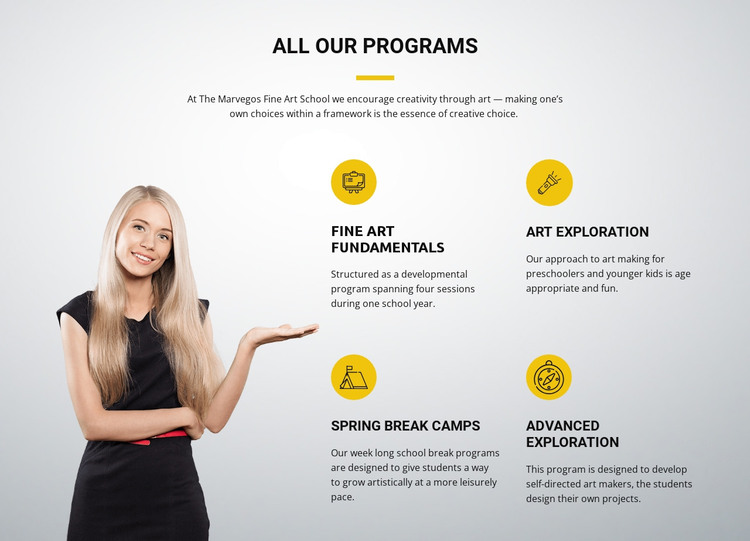
The heading and four named offerings give this block the character of permanent page content rather than a temporary announcement. Fine Art Fundamentals, Art Exploration, Spring Break Camps, and Advanced Exploration are organized as a reusable program area, with each item combining a circular icon, title, and descriptive text. In a WordPress-managed project, that structure can suit a services or programs section on an arts education page while the wider site handles other pages and publishing needs.
The content has several distinct informational uses. Fine Art Fundamentals is described as spanning four sessions during one school year. Art Exploration is intended for preschoolers and younger children. Spring Break Camps are week-long school-break programs, while Advanced Exploration supports self-directed project design. Presenting these differences in parallel helps a page visitor compare the offerings without changing the block into a complete site or theme. The large portrait image on the left provides visual context, while the two-by-two arrangement keeps the program content compact.
The section’s visual rules also make it suitable for continued page use: the centered uppercase heading establishes the area, the yellow divider and icon circles create repeated accents, and the light gray and white surfaces separate the program content from neighboring material. A WordPress-oriented project can place this block alongside other page sections, preserving its program-focused layout while additional content, navigation, and site structure remain outside it.
Customize with Nicepage
Open this ready-made template in the WordPress Website Builder and customize it visually in the Nicepage editor. Replace demo content, edit page sections, and adapt the design to your project without rebuilding the template from scratch.
Edit Template Offline
2. Create a new page or select existing
3. Click Add new block, search for id 61671 and click enter
Edit Template Online
Create Awesome Websites


Free Nicepage Builder
Keywords
Manage and Edit This Theme in WordPress
Customize and Install the WordPress Theme
Start with this ready-made theme instead of building the WordPress design from scratch. Customize its layout, content, typography, images, sections, and other design elements visually in Nicepage editor, then export and install the WordPress Theme, Plugin, and Pages on your WordPress site. The Nicepage WordPress Plugin lets you continue working with the site after installation.
Edit the Theme Directly in WordPress
After installation, you can edit the WordPress Theme directly in WordPress with the Nicepage WordPress Plugin. Use Site Style to customize site Colors, Fonts, Header, Footer, Blog, and Post Page Templates while working within your WordPress website.
Edit WordPress Pages Visually
Use the Nicepage WordPress Plugin to edit page content directly from the WordPress admin area. Open a WordPress Page with Nicepage and visually change its text, images, sections, and other page elements while continuing to manage the Page through WordPress.
WordPress Content and Theme Integration
Use the customized theme with WordPress Pages, Posts, Blog and Post Templates, menus, widgets, and other CMS-managed content. Shared theme elements such as Colors, Fonts, Header, Footer, Blog, and Post Page Templates can be managed as part of the overall site design, while WordPress provides the CMS environment for managing site content.
This workflow combines a ready-made WordPress Theme with visual customization, direct theme editing in WordPress, and continued content management through the Nicepage WordPress Plugin.