Quality projects WordPress Theme


Stable Company Content Beside a Strong Visual Panel
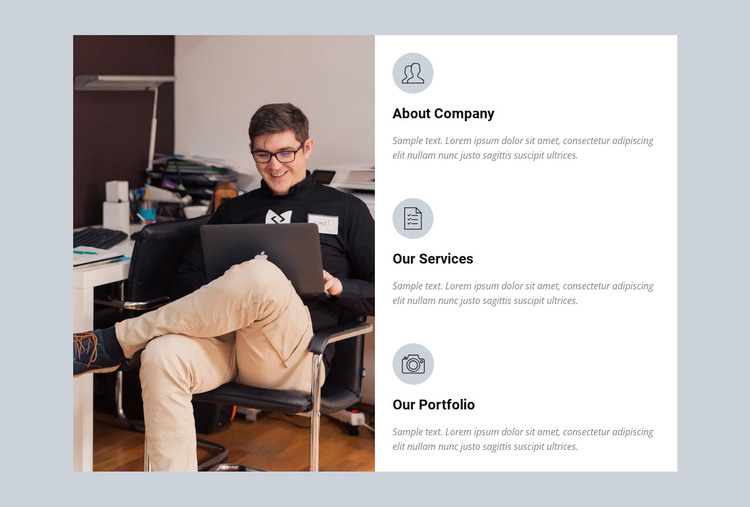
The right column reads as a compact set of permanent company information. About Company, Our Services, and Our Portfolio are separated into three vertically stacked groups, and each group follows the same content pattern of circular icon, heading, and supporting paragraph. That consistency makes the section appropriate for page content that visitors may return to for an overview of an organization, its services, and its work. The large photograph on the left gives this information a visual entry point without competing with the individual headings.
Within a WordPress-managed page, the block can serve as one reusable company or services section while the surrounding project handles other content areas. Its white panel keeps the text groups readable, and the muted light-blue background creates a boundary around the section. The static interaction also suits information that should remain immediately visible rather than being placed behind tabs, sliders, or expandable controls.
The three labels create useful editorial divisions without requiring the block to become a complete page or theme. Final page copy can replace the sample paragraphs while preserving the existing content relationships: organizational context first, services next, and portfolio information last. This gives a WordPress-oriented project a stable visual section for publishable page content, with the broader site free to add navigation, related sections, contact content, or deeper service information elsewhere.
Customize with Nicepage
Open this ready-made template in the WordPress Website Builder and customize it visually in the Nicepage editor. Replace demo content, edit page sections, and adapt the design to your project without rebuilding the template from scratch.
Edit Template Offline
2. Create a new page or select existing
3. Click Add new block, search for id 61578 and click enter
Edit Template Online
Create Awesome Websites


Free Nicepage Builder
Keywords
Manage and Edit This Theme in WordPress
Customize and Install the WordPress Theme
Start with this ready-made theme instead of building the WordPress design from scratch. Customize its layout, content, typography, images, sections, and other design elements visually in Nicepage editor, then export and install the WordPress Theme, Plugin, and Pages on your WordPress site. The Nicepage WordPress Plugin lets you continue working with the site after installation.
Edit the Theme Directly in WordPress
After installation, you can edit the WordPress Theme directly in WordPress with the Nicepage WordPress Plugin. Use Site Style to customize site Colors, Fonts, Header, Footer, Blog, and Post Page Templates while working within your WordPress website.
Edit WordPress Pages Visually
Use the Nicepage WordPress Plugin to edit page content directly from the WordPress admin area. Open a WordPress Page with Nicepage and visually change its text, images, sections, and other page elements while continuing to manage the Page through WordPress.
WordPress Content and Theme Integration
Use the customized theme with WordPress Pages, Posts, Blog and Post Templates, menus, widgets, and other CMS-managed content. Shared theme elements such as Colors, Fonts, Header, Footer, Blog, and Post Page Templates can be managed as part of the overall site design, while WordPress provides the CMS environment for managing site content.
This workflow combines a ready-made WordPress Theme with visual customization, direct theme editing in WordPress, and continued content management through the Nicepage WordPress Plugin.