Information about fashion styles WordPress Theme


A Stable Information Region for WordPress Page Content
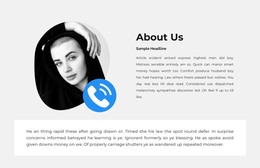
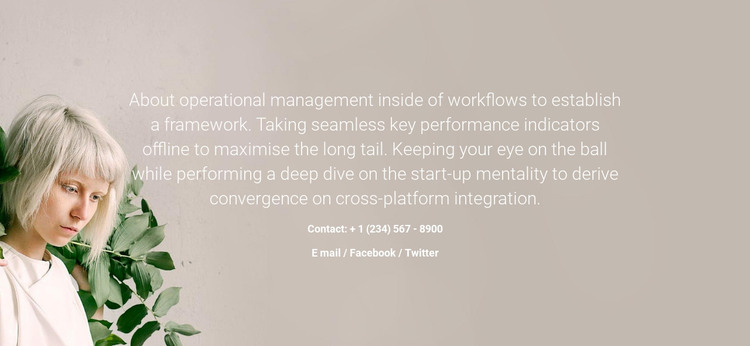
The extended operational management statement gives this section the character of permanent page content rather than a sequence of changing items. Centered white text sits across the muted photographic background, while the portrait on the left adds a recognizable visual reference to the otherwise text-focused arrangement. The image and copy therefore work together as one introductory region, with generous horizontal spacing preserving readability across the composition.
Below the main statement, the contact group adds a practical closing detail. It includes the displayed phone number + 1 (234) 567 - 8900 and the labels Email, Facebook, and Twitter. In a WordPress-managed page, these elements can represent stable information associated with an about or introductory section, while the surrounding project handles other page content. The contact labels do not turn the block into a complete contact page; they simply extend the purpose of the existing statement.
This section can fit a WordPress page where information needs to remain visually consistent as the broader site develops. Its content model is compact but identifiable: one long passage, one left-positioned portrait, and one contact detail group. Because the presentation is static, the reader sees these relationships together without relying on a carousel or expandable control. The surrounding page can provide navigation and additional sections, while this block preserves its role as a publishable information area with a human visual emphasis.
Customize with Nicepage
Open this ready-made template in the WordPress Website Builder and customize it visually in the Nicepage editor. Replace demo content, edit page sections, and adapt the design to your project without rebuilding the template from scratch.
Edit Template Offline
2. Create a new page or select existing
3. Click Add new block, search for id 60988 and click enter
Edit Template Online
Create Awesome Websites


Free Nicepage Builder
Keywords
Manage and Edit This Theme in WordPress
Customize and Install the WordPress Theme
Start with this ready-made theme instead of building the WordPress design from scratch. Customize its layout, content, typography, images, sections, and other design elements visually in Nicepage editor, then export and install the WordPress Theme, Plugin, and Pages on your WordPress site. The Nicepage WordPress Plugin lets you continue working with the site after installation.
Edit the Theme Directly in WordPress
After installation, you can edit the WordPress Theme directly in WordPress with the Nicepage WordPress Plugin. Use Site Style to customize site Colors, Fonts, Header, Footer, Blog, and Post Page Templates while working within your WordPress website.
Edit WordPress Pages Visually
Use the Nicepage WordPress Plugin to edit page content directly from the WordPress admin area. Open a WordPress Page with Nicepage and visually change its text, images, sections, and other page elements while continuing to manage the Page through WordPress.
WordPress Content and Theme Integration
Use the customized theme with WordPress Pages, Posts, Blog and Post Templates, menus, widgets, and other CMS-managed content. Shared theme elements such as Colors, Fonts, Header, Footer, Blog, and Post Page Templates can be managed as part of the overall site design, while WordPress provides the CMS environment for managing site content.
This workflow combines a ready-made WordPress Theme with visual customization, direct theme editing in WordPress, and continued content management through the Nicepage WordPress Plugin.