Photo and our features WordPress Theme


A Photograph and Three Principles Support Stable Page Content
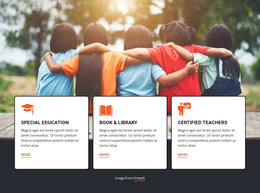
The image-and-text split gives this section a practical role as permanent values content in a WordPress-managed page. On the right, Ownership, History, and Philosophy appear as three distinct entries, each supported by its own icon and paragraph. This repeated structure lets the content remain readable as individual ideas while preserving a shared visual pattern. The vertical arrangement also gives the section a natural order without depending on sliders, tabs, or other interactive controls.
For a WordPress-oriented project, the block can function as a publishable page section that explains organizational principles, culture, or brand direction. The large image supplies visual context rather than replacing the written explanation, and the compact paragraphs allow the section to sit alongside other permanent content such as an introduction, services, or contact information. The broader WordPress-managed site can handle those surrounding areas while this block retains its focused purpose.
The white field, dark uppercase titles, and yellow line icons make the three entries easy to recognize as one content group. Their consistent alignment supports future content editing without changing the basic section logic: one contextual image balances three concise principle statements. This makes the block suitable for a stable values area within a page while preserving a clear boundary between the section and the wider theme or site structure.
Customize with Nicepage
Open this ready-made template in the WordPress Website Builder and customize it visually in the Nicepage editor. Replace demo content, edit page sections, and adapt the design to your project without rebuilding the template from scratch.
Edit Template Offline
2. Create a new page or select existing
3. Click Add new block, search for id 58466 and click enter
Edit Template Online
Create Awesome Websites


Free Nicepage Builder
Keywords
Use This Block in a WordPress-Managed Website
Keep the Block as Page Content
Use the block as one content/layout section inside a WordPress-oriented site rather than treating the Block ID as a complete WordPress Theme. Its verified text, images, repeated items, forms, galleries, or other elements can remain part of permanent page content while WordPress manages the wider site.
Work With Nicepage and WordPress
A Nicepage WordPress project can be installed using the WordPress Theme, Plugin, and Pages workflow. After installation, the same visual section can participate in WordPress-managed pages as part of the broader theme/site structure.
Continue Editing in WordPress
Nicepage supports editing the WordPress Theme directly in WordPress. Use WordPress Pages, Posts, Blog structures, and other CMS concepts only when they are relevant to the surrounding project; their existence must not be inferred from the analyzed block alone.
This workflow keeps the block's verified section function separate from the WordPress theme architecture while allowing it to participate in a CMS-managed website.