Subcribe for top travel inspiration WordPress Theme


Stable Newsletter Content With a Focused Email Response
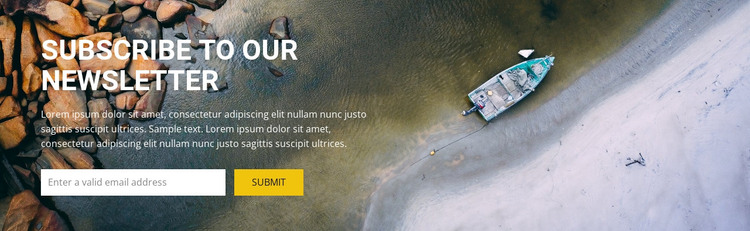
The left-side copy and horizontal form make the section easy to read as permanent newsletter content. “Subscribe to our Newsletter” provides the main subject, the paragraph supplies supporting context, and the single email input leads directly to the Submit control. This sequence is especially clear because the block does not divide attention among several cards, links, or unrelated actions. The full-width aerial background adds visual presence while the white typography maintains a readable contrast over the darker natural tones.
For a WordPress-managed page, the block can act as a reusable subscription area within stable site content. It may sit between other sections that explain an organization, destination, service, or publication, while this region handles the narrower task of inviting email signups. The sample paragraph and “Enter a valid email address” prompt are structural content that can be replaced with the project’s own message and field guidance. The block’s one-form model remains intact through that editing: one explanatory text area, one email field, and one Submit action. Nicepage supports WordPress projects, but this block should be understood as page content within the surrounding WordPress theme and site structure, not as a standalone WordPress Theme.
Customize with Nicepage
Open this ready-made template in the WordPress Website Builder and customize it visually in the Nicepage editor. Replace demo content, edit page sections, and adapt the design to your project without rebuilding the template from scratch.
Edit Template Offline
2. Create a new page or select existing
3. Click Add new block, search for id 55345 and click enter
Edit Template Online
Create Awesome Websites


Free Nicepage Builder
Keywords
Manage and Edit This Theme in WordPress
Customize and Install the WordPress Theme
Start with this ready-made theme instead of building the WordPress design from scratch. Customize its layout, content, typography, images, sections, and other design elements visually in Nicepage editor, then export and install the WordPress Theme, Plugin, and Pages on your WordPress site. The Nicepage WordPress Plugin lets you continue working with the site after installation.
Edit the Theme Directly in WordPress
After installation, you can edit the WordPress Theme directly in WordPress with the Nicepage WordPress Plugin. Use Site Style to customize site Colors, Fonts, Header, Footer, Blog, and Post Page Templates while working within your WordPress website.
Edit WordPress Pages Visually
Use the Nicepage WordPress Plugin to edit page content directly from the WordPress admin area. Open a WordPress Page with Nicepage and visually change its text, images, sections, and other page elements while continuing to manage the Page through WordPress.
WordPress Content and Theme Integration
Use the customized theme with WordPress Pages, Posts, Blog and Post Templates, menus, widgets, and other CMS-managed content. Shared theme elements such as Colors, Fonts, Header, Footer, Blog, and Post Page Templates can be managed as part of the overall site design, while WordPress provides the CMS environment for managing site content.
This workflow combines a ready-made WordPress Theme with visual customization, direct theme editing in WordPress, and continued content management through the Nicepage WordPress Plugin.