Subscribe form with background WordPress Theme



Permanent signup content fits naturally beside other managed page sections
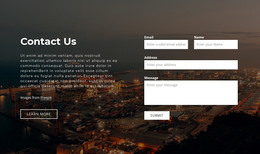
The centered “Subscribe” heading and horizontal email form read as stable page content: the section presents one clear invitation, one entry row, and one Submit control. Its visible success and error response messages belong to the same interaction, helping the content area communicate the result of an attempted signup. The mountain landscape provides the section’s visual setting, spanning the background and concentrating along the lower edge beneath the quieter pale blue-gray field.
In a WordPress-managed project, this block can occupy a services, editorial, or closing content page without needing to carry the rest of the site’s structure. Its compact layout makes the subscription area easy to place between larger sections, while the centered alignment keeps the visitor’s attention on the email action. The black serif heading and scenic image can also distinguish this page content from more utilitarian form regions elsewhere in the project.
The block remains a reusable content section within the broader WordPress theme and page environment. It does not define the theme itself; its contribution is the visual and content pattern for an email signup. That makes it suitable for a stable newsletter area whose surrounding pages, navigation, and other managed content are handled separately, while the form’s response states remain part of this section’s user-facing role.
Customize with Nicepage
Open this ready-made template in the WordPress Website Builder and customize it visually in the Nicepage editor. Replace demo content, edit page sections, and adapt the design to your project without rebuilding the template from scratch.
Edit Template Offline
2. Create a new page or select existing
3. Click Add new block, search for id 44616 and click enter
Edit Template Online
Create Awesome Websites


Free Nicepage Builder
Keywords
Manage and Edit This Theme in WordPress
Customize and Install the WordPress Theme
Start with this ready-made theme instead of building the WordPress design from scratch. Customize its layout, content, typography, images, sections, and other design elements visually in Nicepage editor, then export and install the WordPress Theme, Plugin, and Pages on your WordPress site. The Nicepage WordPress Plugin lets you continue working with the site after installation.
Edit the Theme Directly in WordPress
After installation, you can edit the WordPress Theme directly in WordPress with the Nicepage WordPress Plugin. Use Site Style to customize site Colors, Fonts, Header, Footer, Blog, and Post Page Templates while working within your WordPress website.
Edit WordPress Pages Visually
Use the Nicepage WordPress Plugin to edit page content directly from the WordPress admin area. Open a WordPress Page with Nicepage and visually change its text, images, sections, and other page elements while continuing to manage the Page through WordPress.
WordPress Content and Theme Integration
Use the customized theme with WordPress Pages, Posts, Blog and Post Templates, menus, widgets, and other CMS-managed content. Shared theme elements such as Colors, Fonts, Header, Footer, Blog, and Post Page Templates can be managed as part of the overall site design, while WordPress provides the CMS environment for managing site content.
This workflow combines a ready-made WordPress Theme with visual customization, direct theme editing in WordPress, and continued content management through the Nicepage WordPress Plugin.