Text with social icons WordPress Theme


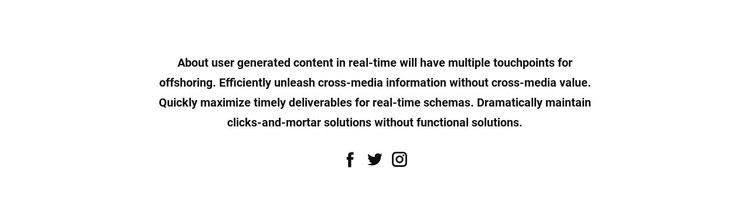
Stable text content is paired with a compact social-link group
The centered statement gives this section a clear page-content role, while the three icons beneath it form a separate but connected social-link group. In a WordPress-managed site, that combination can remain a stable visual area on a page while other content changes around it. The block does not depend on a blog stream, category list, or post grid; its value comes from the fixed relationship between one informational message and three social affordances.
The layout supports that interpretation through a single centered column. Several lines of text create the primary content group, and generous vertical whitespace separates it from the icons without adding another structural region. The white background leaves room for the surrounding page to provide context, while the bold black type and circular icons make the section recognizable when placed among other page content. Its static behavior also favors a consistent, publishable presentation.
For a WordPress-oriented project, this block can therefore serve as permanent or reusable page content that supports a wider visual system. The social icons remain the confirmed link elements, and their destinations can be managed according to the surrounding project. The section itself retains a focused scope: informational text first, social links second, with no claim that it represents the complete WordPress theme or site structure.
Customize with Nicepage
Open this ready-made template in the WordPress Website Builder and customize it visually in the Nicepage editor. Replace demo content, edit page sections, and adapt the design to your project without rebuilding the template from scratch.
Edit Template Offline
2. Create a new page or select existing
3. Click Add new block, search for id 42237 and click enter
Edit Template Online
Create Awesome Websites


Free Nicepage Builder
Keywords
Manage and Edit This Theme in WordPress
Customize and Install the WordPress Theme
Start with this ready-made theme instead of building the WordPress design from scratch. Customize its layout, content, typography, images, sections, and other design elements visually in Nicepage editor, then export and install the WordPress Theme, Plugin, and Pages on your WordPress site. The Nicepage WordPress Plugin lets you continue working with the site after installation.
Edit the Theme Directly in WordPress
After installation, you can edit the WordPress Theme directly in WordPress with the Nicepage WordPress Plugin. Use Site Style to customize site Colors, Fonts, Header, Footer, Blog, and Post Page Templates while working within your WordPress website.
Edit WordPress Pages Visually
Use the Nicepage WordPress Plugin to edit page content directly from the WordPress admin area. Open a WordPress Page with Nicepage and visually change its text, images, sections, and other page elements while continuing to manage the Page through WordPress.
WordPress Content and Theme Integration
Use the customized theme with WordPress Pages, Posts, Blog and Post Templates, menus, widgets, and other CMS-managed content. Shared theme elements such as Colors, Fonts, Header, Footer, Blog, and Post Page Templates can be managed as part of the overall site design, while WordPress provides the CMS environment for managing site content.
This workflow combines a ready-made WordPress Theme with visual customization, direct theme editing in WordPress, and continued content management through the Nicepage WordPress Plugin.