Luxury hotel benefits WordPress Theme


Named Hospitality Cards Form Stable Page Content
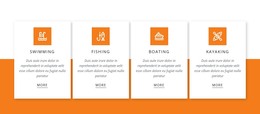
The labels Beautiful Designs, Exception Service, Beautiful Rooms, and Event Facilities give this section four stable content subjects that can fit naturally into a WordPress-managed hospitality page. Each subject is presented through the same combination of circular icon, uppercase blue label, and descriptive paragraph, creating a consistent page-content pattern rather than a collection of unrelated elements.
The full-width resort or hotel pool image provides context behind the cards, while the white rectangular surfaces maintain a readable boundary for each content unit. Blue line icons and labels connect the four topics visually, and italic gray text establishes a quieter supporting level. Because the cards remain in one horizontal row with generous spacing, the section can preserve its intended relationship between parallel features when placed among other page content.
In a WordPress-oriented project, this block can serve as a permanent features or amenities area on a hotel, resort, or travel-related page. The wider site may manage other pages and changing content around it, but the block itself remains one reusable visual section. Its descriptive paragraphs are sample content, so editors can replace them with accurate property information while retaining the four-card structure, background image treatment, and hospitality-focused grouping.
Customize with Nicepage
Open this ready-made template in the WordPress Website Builder and customize it visually in the Nicepage editor. Replace demo content, edit page sections, and adapt the design to your project without rebuilding the template from scratch.
Edit Template Offline
2. Create a new page or select existing
3. Click Add new block, search for id 357252 and click enter
Edit Template Online
Create Awesome Websites


Free Nicepage Builder
Keywords
Manage and Edit This Theme in WordPress
Customize and Install the WordPress Theme
Start with this ready-made theme instead of building the WordPress design from scratch. Customize its layout, content, typography, images, sections, and other design elements visually in Nicepage editor, then export and install the WordPress Theme, Plugin, and Pages on your WordPress site. The Nicepage WordPress Plugin lets you continue working with the site after installation.
Edit the Theme Directly in WordPress
After installation, you can edit the WordPress Theme directly in WordPress with the Nicepage WordPress Plugin. Use Site Style to customize site Colors, Fonts, Header, Footer, Blog, and Post Page Templates while working within your WordPress website.
Edit WordPress Pages Visually
Use the Nicepage WordPress Plugin to edit page content directly from the WordPress admin area. Open a WordPress Page with Nicepage and visually change its text, images, sections, and other page elements while continuing to manage the Page through WordPress.
WordPress Content and Theme Integration
Use the customized theme with WordPress Pages, Posts, Blog and Post Templates, menus, widgets, and other CMS-managed content. Shared theme elements such as Colors, Fonts, Header, Footer, Blog, and Post Page Templates can be managed as part of the overall site design, while WordPress provides the CMS environment for managing site content.
This workflow combines a ready-made WordPress Theme with visual customization, direct theme editing in WordPress, and continued content management through the Nicepage WordPress Plugin.