
Coming soon with abstract background WordPress Theme


The Notice Works as Stable Temporary Page Content
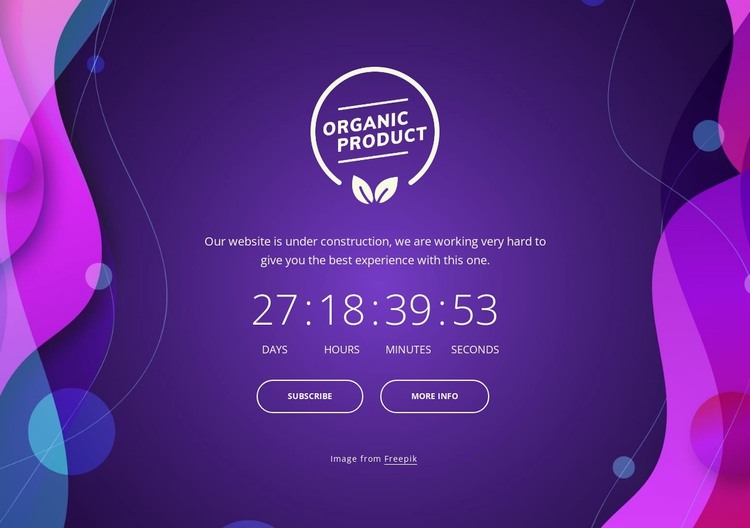
The centered emblem, supporting notice, and countdown form a coherent piece of page content rather than a collection of unrelated controls. The notice explains the temporary state, while the days, hours, minutes, and seconds display gives the section a time-focused information role. Subscribe and More Info then provide two labeled destinations that can connect this content to the wider page experience when their links are defined by the project.
In a WordPress-managed context, this arrangement can suit a stable announcement area on a page while the surrounding site handles other publishable content. The section does not need to be treated as a complete theme or a full site component. Its useful content boundary is the centered vertical stack: emblem, notice, countdown, and buttons. That boundary makes the visual unit straightforward to preserve when page content is revised around it.
The deep purple field and abstract magenta-blue edge shapes also give the section a strong presentation identity. White typography keeps the temporary message readable, and the outlined rounded buttons distinguish the two actions without overwhelming the countdown. This combination can remain visually consistent as page content is maintained, while any broader WordPress-managed pages, editorial areas, or navigation exist outside this reusable block.
Customize with Nicepage
Open this ready-made template in the WordPress Website Builder and customize it visually in the Nicepage editor. Replace demo content, edit page sections, and adapt the design to your project without rebuilding the template from scratch.
Edit Template Offline
2. Create a new page or select existing
3. Click Add new block, search for id 3382392 and click enter
Edit Template Online
Create Awesome Websites


Free Nicepage Builder
Keywords
Manage and Edit This Theme in WordPress
Customize and Install the WordPress Theme
Start with this ready-made theme instead of building the WordPress design from scratch. Customize its layout, content, typography, images, sections, and other design elements visually in Nicepage editor, then export and install the WordPress Theme, Plugin, and Pages on your WordPress site. The Nicepage WordPress Plugin lets you continue working with the site after installation.
Edit the Theme Directly in WordPress
After installation, you can edit the WordPress Theme directly in WordPress with the Nicepage WordPress Plugin. Use Site Style to customize site Colors, Fonts, Header, Footer, Blog, and Post Page Templates while working within your WordPress website.
Edit WordPress Pages Visually
Use the Nicepage WordPress Plugin to edit page content directly from the WordPress admin area. Open a WordPress Page with Nicepage and visually change its text, images, sections, and other page elements while continuing to manage the Page through WordPress.
WordPress Content and Theme Integration
Use the customized theme with WordPress Pages, Posts, Blog and Post Templates, menus, widgets, and other CMS-managed content. Shared theme elements such as Colors, Fonts, Header, Footer, Blog, and Post Page Templates can be managed as part of the overall site design, while WordPress provides the CMS environment for managing site content.
This workflow combines a ready-made WordPress Theme with visual customization, direct theme editing in WordPress, and continued content management through the Nicepage WordPress Plugin.
