Employee Opinions WordPress Theme


Portrait-and-Quote Pairs as Stable WordPress Page Content
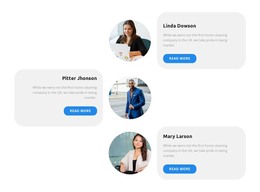
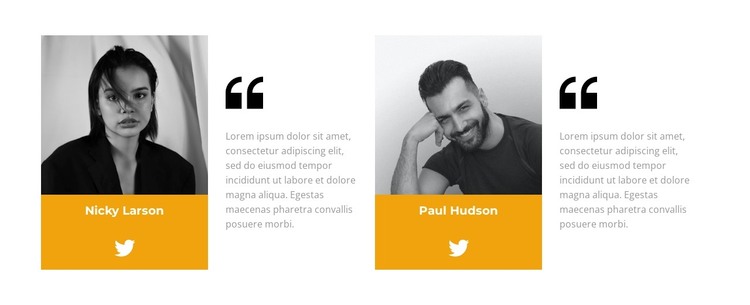
Each of the two repeated units presents testimonial content as a compact relationship between identity and evidence. A portrait and bright orange name panel establish who is speaking, while the adjacent quote area uses large quotation marks and light gray text to frame the statement. The alternating arrangement across four columns prevents the two units from merging into a single text band. A Twitter link completes each unit with an external profile destination, keeping social context close to the corresponding testimonial rather than separating it into another region.
For a WordPress-oriented project, the section can function as permanent page content on a services, about, or customer-feedback page while the broader site manages other publishable content around it. The two names and placeholder quotations are structural examples and can be replaced with the site’s own approved testimonial material. The consistent unit pattern also makes the section suitable for maintaining a recognizable testimonial presentation when content is edited within the surrounding WordPress-managed page. Its visual role is specific: it supplies a focused proof area with two human voices, not a standalone WordPress Theme. The white field can sit between neighboring sections, while the orange identity panels provide a local accent that may be echoed elsewhere in the site’s visual direction.
Customize with Nicepage
Open this ready-made template in the WordPress Website Builder and customize it visually in the Nicepage editor. Replace demo content, edit page sections, and adapt the design to your project without rebuilding the template from scratch.
Edit Template Offline
2. Create a new page or select existing
3. Click Add new block, search for id 3048372 and click enter
Edit Template Online
Create Awesome Websites


Free Nicepage Builder
Keywords
Manage and Edit This Theme in WordPress
Customize and Install the WordPress Theme
Start with this ready-made theme instead of building the WordPress design from scratch. Customize its layout, content, typography, images, sections, and other design elements visually in Nicepage editor, then export and install the WordPress Theme, Plugin, and Pages on your WordPress site. The Nicepage WordPress Plugin lets you continue working with the site after installation.
Edit the Theme Directly in WordPress
After installation, you can edit the WordPress Theme directly in WordPress with the Nicepage WordPress Plugin. Use Site Style to customize site Colors, Fonts, Header, Footer, Blog, and Post Page Templates while working within your WordPress website.
Edit WordPress Pages Visually
Use the Nicepage WordPress Plugin to edit page content directly from the WordPress admin area. Open a WordPress Page with Nicepage and visually change its text, images, sections, and other page elements while continuing to manage the Page through WordPress.
WordPress Content and Theme Integration
Use the customized theme with WordPress Pages, Posts, Blog and Post Templates, menus, widgets, and other CMS-managed content. Shared theme elements such as Colors, Fonts, Header, Footer, Blog, and Post Page Templates can be managed as part of the overall site design, while WordPress provides the CMS environment for managing site content.
This workflow combines a ready-made WordPress Theme with visual customization, direct theme editing in WordPress, and continued content management through the Nicepage WordPress Plugin.