Wonderful Stories WordPress Theme


Six Icon-Led Cards for a WordPress Services Content Area
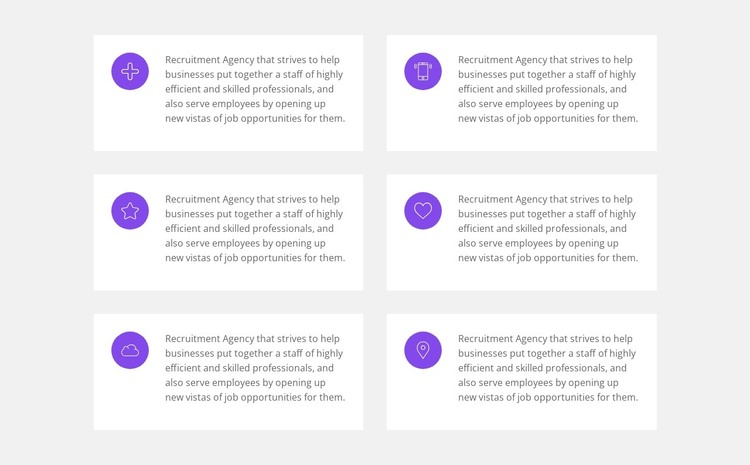
The six-card arrangement reads as stable page content rather than a changing feed. Each repeated item uses the same basic relationship—a circular icon beside a descriptive paragraph—while the copy addresses helping businesses assemble skilled professional staff and opening job opportunities for employees. That makes the section suitable for a WordPress-managed services or capabilities area where the recruitment message needs to remain visible as part of the page's main information.
The two-column by three-row structure gives the content a predictable visual order. White rectangular cards stand against the light gray section background, and generous spacing keeps each statement separate without introducing extra interaction. The purple icons act as recurring markers, while the muted gray text keeps attention on the explanations rather than on decorative effects. Because the block is static, its value comes from the consistent presentation of six related statements that visitors can scan together.
Within a broader WordPress site, this block can occupy one reusable page section while other content areas handle employer-focused details, job opportunities, recruitment processes, or inquiries. The section's visual pattern can remain stable even as the surrounding project develops additional pages and content. A WordPress-oriented workflow therefore treats the block as publishable recruitment information inside a managed page, not as a standalone theme or complete site.
Customize with Nicepage
Open this ready-made template in the WordPress Website Builder and customize it visually in the Nicepage editor. Replace demo content, edit page sections, and adapt the design to your project without rebuilding the template from scratch.
Edit Template Offline
2. Create a new page or select existing
3. Click Add new block, search for id 3008195 and click enter
Edit Template Online
Create Awesome Websites


Free Nicepage Builder
Keywords
Manage and Edit This Theme in WordPress
Customize and Install the WordPress Theme
Start with this ready-made theme instead of building the WordPress design from scratch. Customize its layout, content, typography, images, sections, and other design elements visually in Nicepage editor, then export and install the WordPress Theme, Plugin, and Pages on your WordPress site. The Nicepage WordPress Plugin lets you continue working with the site after installation.
Edit the Theme Directly in WordPress
After installation, you can edit the WordPress Theme directly in WordPress with the Nicepage WordPress Plugin. Use Site Style to customize site Colors, Fonts, Header, Footer, Blog, and Post Page Templates while working within your WordPress website.
Edit WordPress Pages Visually
Use the Nicepage WordPress Plugin to edit page content directly from the WordPress admin area. Open a WordPress Page with Nicepage and visually change its text, images, sections, and other page elements while continuing to manage the Page through WordPress.
WordPress Content and Theme Integration
Use the customized theme with WordPress Pages, Posts, Blog and Post Templates, menus, widgets, and other CMS-managed content. Shared theme elements such as Colors, Fonts, Header, Footer, Blog, and Post Page Templates can be managed as part of the overall site design, while WordPress provides the CMS environment for managing site content.
This workflow combines a ready-made WordPress Theme with visual customization, direct theme editing in WordPress, and continued content management through the Nicepage WordPress Plugin.