Contact form and grid repeater WordPress Theme


Stable contact content separates channels from the inquiry form
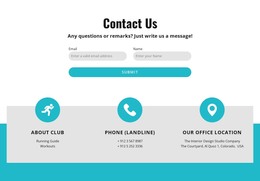
The three contact detail cards give this section a durable page-content role. Each card groups an icon, label, and linked detail, and the horizontal row presents those communication channels before the visitor reaches the form. This is useful for a WordPress-managed page because the section can remain a recognizable contact area while the broader site adds other content around it. The “Get in touch” heading keeps the purpose explicit.
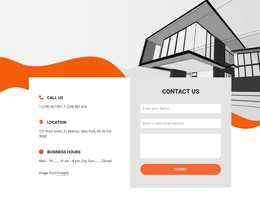
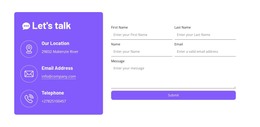
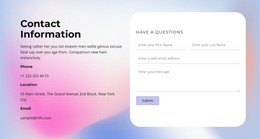
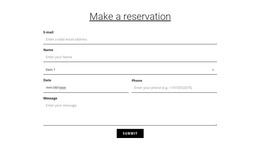
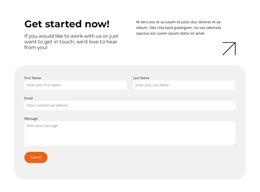
The form creates a second content group with a direct interaction. Name, email, and message inputs support a written request, then the required Terms of Service checkbox and Submit control establish the final step. The block can therefore fit a stable Contact or communication section without requiring the three cards and form to be treated as separate page components. The WordPress-oriented context concerns how this section participates in managed page content, not a claim that it is a complete theme.
The visual arrangement reinforces the content distinction. The pale pink rounded panel contains both groups, white cards set the contact channels apart, and dark purple accents connect them to the form. Centered typography and generous spacing preserve a clear reading order. In a wider WordPress project, this section can remain a consistent page area while the surrounding theme, pages, and other managed content supply the broader site structure.
Customize with Nicepage
Open this ready-made template in the WordPress Website Builder and customize it visually in the Nicepage editor. Replace demo content, edit page sections, and adapt the design to your project without rebuilding the template from scratch.
Edit Template Offline
2. Create a new page or select existing
3. Click Add new block, search for id 2926337 and click enter
Edit Template Online
Create Awesome Websites


Free Nicepage Builder
Keywords
Manage and Edit This Theme in WordPress
Customize and Install the WordPress Theme
Start with this ready-made theme instead of building the WordPress design from scratch. Customize its layout, content, typography, images, sections, and other design elements visually in Nicepage editor, then export and install the WordPress Theme, Plugin, and Pages on your WordPress site. The Nicepage WordPress Plugin lets you continue working with the site after installation.
Edit the Theme Directly in WordPress
After installation, you can edit the WordPress Theme directly in WordPress with the Nicepage WordPress Plugin. Use Site Style to customize site Colors, Fonts, Header, Footer, Blog, and Post Page Templates while working within your WordPress website.
Edit WordPress Pages Visually
Use the Nicepage WordPress Plugin to edit page content directly from the WordPress admin area. Open a WordPress Page with Nicepage and visually change its text, images, sections, and other page elements while continuing to manage the Page through WordPress.
WordPress Content and Theme Integration
Use the customized theme with WordPress Pages, Posts, Blog and Post Templates, menus, widgets, and other CMS-managed content. Shared theme elements such as Colors, Fonts, Header, Footer, Blog, and Post Page Templates can be managed as part of the overall site design, while WordPress provides the CMS environment for managing site content.
This workflow combines a ready-made WordPress Theme with visual customization, direct theme editing in WordPress, and continued content management through the Nicepage WordPress Plugin.