Strategy consulting firm WordPress Theme


Three Feature Cards Give a WordPress Page a Stable Content Region
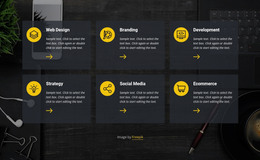
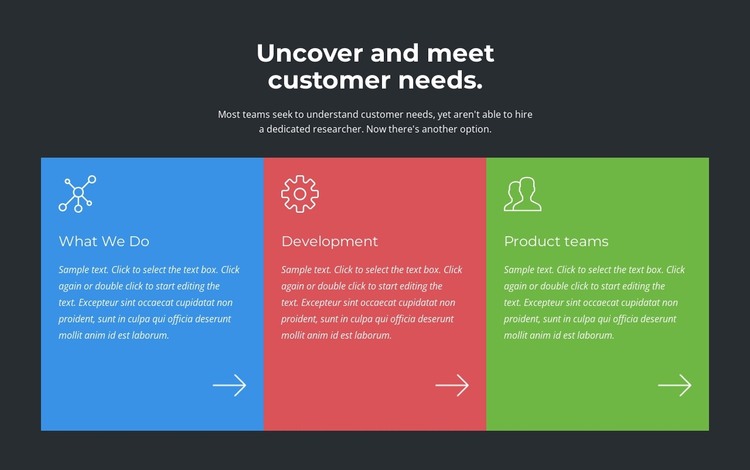
The section’s centered introduction establishes the customer-needs theme before the three cards turn that theme into distinct capability areas. “What We Do,” “Development,” and “Product teams” can function as stable page content within a WordPress-managed site, especially when the surrounding project needs a concise explanation of how a team organizes its work. The repeated line-and-arrow treatment gives the cards a consistent pattern without suggesting that they contain a built-in interactive control.
The single horizontal row makes the three areas easy to compare at a glance. Each card receives its own blue, red, or green background, while the white icon and text treatment keeps the visual language consistent across those color changes. Generous internal spacing allows the labels and descriptions to remain separate from the decorative arrow near each lower edge. The dark charcoal section background then groups the introduction and cards as one page-level content area.
In a WordPress-oriented project, this block can sit on a stable services, capabilities, or company-information page while other CMS-managed content develops around it. The section does not need to carry the entire page: neighboring content can handle deeper explanations, proof, or contact information. Its value lies in giving permanent page content a defined three-part structure that can remain visually coherent as the broader WordPress site evolves.
Customize with Nicepage
Open this ready-made template in the WordPress Website Builder and customize it visually in the Nicepage editor. Replace demo content, edit page sections, and adapt the design to your project without rebuilding the template from scratch.
Edit Template Offline
2. Create a new page or select existing
3. Click Add new block, search for id 2709503 and click enter
Edit Template Online
Create Awesome Websites


Free Nicepage Builder
Keywords
Manage and Edit This Theme in WordPress
Customize and Install the WordPress Theme
Start with this ready-made theme instead of building the WordPress design from scratch. Customize its layout, content, typography, images, sections, and other design elements visually in Nicepage editor, then export and install the WordPress Theme, Plugin, and Pages on your WordPress site. The Nicepage WordPress Plugin lets you continue working with the site after installation.
Edit the Theme Directly in WordPress
After installation, you can edit the WordPress Theme directly in WordPress with the Nicepage WordPress Plugin. Use Site Style to customize site Colors, Fonts, Header, Footer, Blog, and Post Page Templates while working within your WordPress website.
Edit WordPress Pages Visually
Use the Nicepage WordPress Plugin to edit page content directly from the WordPress admin area. Open a WordPress Page with Nicepage and visually change its text, images, sections, and other page elements while continuing to manage the Page through WordPress.
WordPress Content and Theme Integration
Use the customized theme with WordPress Pages, Posts, Blog and Post Templates, menus, widgets, and other CMS-managed content. Shared theme elements such as Colors, Fonts, Header, Footer, Blog, and Post Page Templates can be managed as part of the overall site design, while WordPress provides the CMS environment for managing site content.
This workflow combines a ready-made WordPress Theme with visual customization, direct theme editing in WordPress, and continued content management through the Nicepage WordPress Plugin.