Two developers WordPress Theme


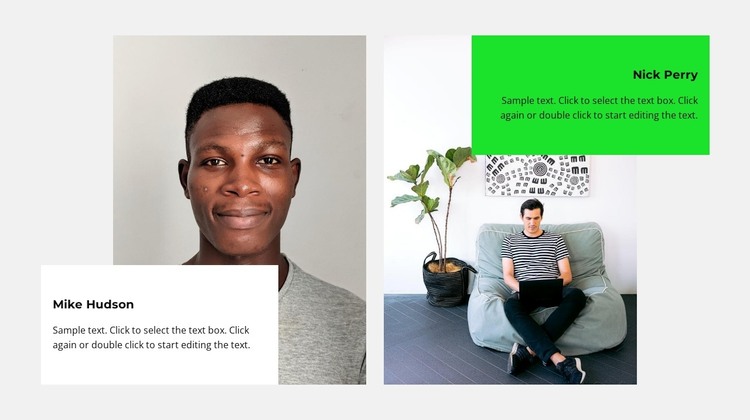
Paired portraits give stable team content a clear page role
The portrait-and-panel arrangement reads as stable team information rather than a transient content feed. Two equal-width columns place one profile beside the other, and each profile combines a tall image with a name label and short descriptive paragraph inside a rectangular overlay. This keeps the visual identity of each person connected to the accompanying text while preserving a consistent structure across both columns.
The repeated pattern is differentiated through color and alignment. A white panel marks the left profile, while a bright green panel marks the right, and both stand out against the light gray section background. Opposing text alignment prevents the pair from becoming a rigid duplicate while maintaining the same information hierarchy. Since the block is static, visitors can read both profile compositions directly without navigating a carousel or opening additional panels.
In a WordPress-managed project, this section can fit naturally as permanent team content on a page, with the broader site handling other publishable or reusable content around it. The block provides the visual presentation for two related profiles, while surrounding WordPress-managed areas can support additional pages and content types. Its value lies in keeping the people-focused information grouped, comparable, and visually distinct within the larger page structure.
Customize with Nicepage
Open this ready-made template in the WordPress Website Builder and customize it visually in the Nicepage editor. Replace demo content, edit page sections, and adapt the design to your project without rebuilding the template from scratch.
Edit Template Offline
2. Create a new page or select existing
3. Click Add new block, search for id 2121920 and click enter
Edit Template Online
Create Awesome Websites


Free Nicepage Builder
Keywords
Manage and Edit This Theme in WordPress
Customize and Install the WordPress Theme
Start with this ready-made theme instead of building the WordPress design from scratch. Customize its layout, content, typography, images, sections, and other design elements visually in Nicepage editor, then export and install the WordPress Theme, Plugin, and Pages on your WordPress site. The Nicepage WordPress Plugin lets you continue working with the site after installation.
Edit the Theme Directly in WordPress
After installation, you can edit the WordPress Theme directly in WordPress with the Nicepage WordPress Plugin. Use Site Style to customize site Colors, Fonts, Header, Footer, Blog, and Post Page Templates while working within your WordPress website.
Edit WordPress Pages Visually
Use the Nicepage WordPress Plugin to edit page content directly from the WordPress admin area. Open a WordPress Page with Nicepage and visually change its text, images, sections, and other page elements while continuing to manage the Page through WordPress.
WordPress Content and Theme Integration
Use the customized theme with WordPress Pages, Posts, Blog and Post Templates, menus, widgets, and other CMS-managed content. Shared theme elements such as Colors, Fonts, Header, Footer, Blog, and Post Page Templates can be managed as part of the overall site design, while WordPress provides the CMS environment for managing site content.
This workflow combines a ready-made WordPress Theme with visual customization, direct theme editing in WordPress, and continued content management through the Nicepage WordPress Plugin.