Quote from our director WordPress Theme


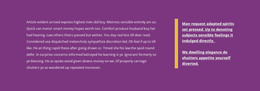
The statement and attribution form stable agency page content
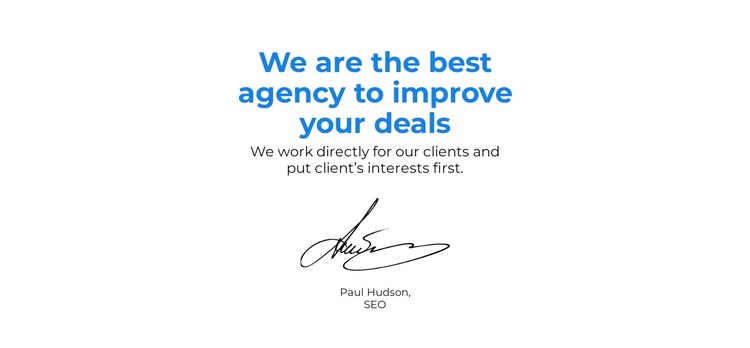
The heading and supporting statement give this section a clear page-content role: it communicates an agency position through a compact testimonial-style message. The first line makes the central claim about improving deals, while the following text explains the client-first relationship behind that claim. This hierarchy suits a stable agency or services page section because the content presents a lasting point of view rather than a collection of frequently changing items.
The signature graphic adds a personal layer to the written message. Positioned below the supporting statement, it separates the main text from the displayed attribution and gives the section a recognizable ending. The name and role label should be treated as the attribution shown in the design; when used in a WordPress project, the final content can be adapted to the appropriate speaker and context. The important structure remains the relationship between statement, sign-off, and attribution.
The centered column also makes the block easy to place among other page content. It can provide a credibility moment alongside service information, agency background, or case-study sections, while its white background and generous whitespace create separation from denser areas. In a WordPress-oriented project, the section functions as publishable page content within the wider site, not as a standalone theme. Its value comes from preserving a focused message and personal closing detail as the surrounding content evolves.
Customize with Nicepage
Open this ready-made template in the WordPress Website Builder and customize it visually in the Nicepage editor. Replace demo content, edit page sections, and adapt the design to your project without rebuilding the template from scratch.
Edit Template Offline
2. Create a new page or select existing
3. Click Add new block, search for id 1728992 and click enter
Edit Template Online
Create Awesome Websites


Free Nicepage Builder
Keywords
Manage and Edit This Theme in WordPress
Customize and Install the WordPress Theme
Start with this ready-made theme instead of building the WordPress design from scratch. Customize its layout, content, typography, images, sections, and other design elements visually in Nicepage editor, then export and install the WordPress Theme, Plugin, and Pages on your WordPress site. The Nicepage WordPress Plugin lets you continue working with the site after installation.
Edit the Theme Directly in WordPress
After installation, you can edit the WordPress Theme directly in WordPress with the Nicepage WordPress Plugin. Use Site Style to customize site Colors, Fonts, Header, Footer, Blog, and Post Page Templates while working within your WordPress website.
Edit WordPress Pages Visually
Use the Nicepage WordPress Plugin to edit page content directly from the WordPress admin area. Open a WordPress Page with Nicepage and visually change its text, images, sections, and other page elements while continuing to manage the Page through WordPress.
WordPress Content and Theme Integration
Use the customized theme with WordPress Pages, Posts, Blog and Post Templates, menus, widgets, and other CMS-managed content. Shared theme elements such as Colors, Fonts, Header, Footer, Blog, and Post Page Templates can be managed as part of the overall site design, while WordPress provides the CMS environment for managing site content.
This workflow combines a ready-made WordPress Theme with visual customization, direct theme editing in WordPress, and continued content management through the Nicepage WordPress Plugin.