Emergency Assistance Template


Four Community Programs in a Spacious Editorial List
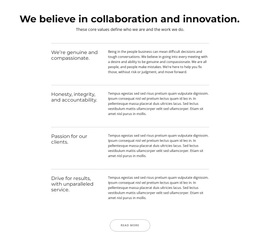
The block combines four program titles with their own supporting explanations, creating a services design that favors sequence and readability over a crowded card arrangement. Youth Outreach, Drug Prevention Programs, Neighborhood Watch, and Self-Defense Workshops appear in a single vertical list, with fine horizontal rules marking the transitions. That structure makes each initiative easy to identify while allowing the section to carry several related community-safety themes without blending them together.
Its content coverage is another reason to consider this design. Youth Outreach includes the structural idea of educational talks and school visits, while Neighborhood Watch is associated with partnering with citizens for community safety. The remaining entries provide dedicated places for prevention programs and practical personal-protection workshops. This combination can suit a page that needs to explain several programs with more room than a short multi-column feature row would provide.
The visual character reinforces the choice. Large thin titles, smaller descriptions, black typography, a white background, and generous vertical spacing produce a quiet, information-led presentation. The wide left-aligned area gives the titles visual weight without introducing unnecessary decoration. As a ready-made block option, it is most distinctive when a project needs four related service or community-program descriptions to unfold one after another in a calm, clearly divided section.
Customize with Nicepage
Open this ready-made template in the Template Builder and customize it visually in the Nicepage editor. Replace demo content, edit page sections, and adapt the design to your project without rebuilding the template from scratch.
Edit Template Offline
2. Create a new page or select existing
3. Click Add new block, search for id 6563713 and click enter
Edit Template Online
Create Awesome Websites


Free Nicepage Builder
Keywords
Start With a Ready-Made Template
Choose a Design for a New Page
Use a ready-made template as a starting point instead of creating every page from a blank canvas. When adding a new page in Nicepage, browse available designs, compare different layouts, and choose an option that already fits the general purpose and visual direction of your project.
Browse Different Page Designs
Explore Page Designs using search, thematic categories, Design Sets, and full-page previews. The collection includes layouts for different subjects and page purposes, making it easier to compare alternatives before selecting a design to customize.
Customize the Selected Template
After choosing a design, create the page and continue editing it visually in Nicepage. Replace the demo content, adjust images, typography, colors, sections, and other elements, and adapt the ready-made layout to your own content instead of rebuilding the design from the beginning.
Explore More Design Directions
If the first option does not match your project closely enough, return to the design collection and compare other templates before committing to a layout. This makes the template library useful not only for faster page creation, but also for exploring different visual approaches and finding a suitable starting point for a new project.
This workflow gives you access to a broad collection of ready-made designs that can be selected, compared, and customized according to the needs of each new page or project.