Four Purchasing Managers Template



Four Repeated Profiles Give the Team Section Its Character
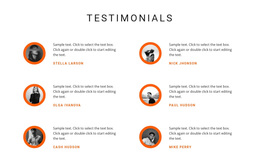
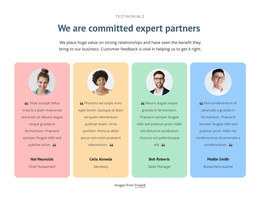
The design combines a centered team heading with four profile cards instead of using a single portrait, a plain text list, or a larger undifferentiated grid. Each card repeats the same portrait, name, biography, and role structure, making the section easy to compare while preserving a separate identity for every person. The two-column arrangement places the cards in two rows, which gives the block a compact footprint and a measured reading rhythm.
The orange background and white card surfaces are another reason to choose this design when a page needs the team area to stand apart from adjacent sections. Circular portraits establish a common visual marker, while blue role labels add a secondary color cue for professional responsibilities. The named roles—Creative Leader, Sales Manager, Web Developer, and Web Designer—give the repeated layout a useful range of content rather than four visually identical placeholders.
Among alternative team sections, this option suits a project that wants a balanced introduction with enough room for short biographies and clear role distinctions. It is more informative than a simple logo-like staff row, yet more compact than a long directory. The block remains one ready-made section choice, allowing the surrounding page to provide its own introduction, services, proof, or contact content.
Customize with Nicepage
Open this ready-made template in the Template Builder and customize it visually in the Nicepage editor. Replace demo content, edit page sections, and adapt the design to your project without rebuilding the template from scratch.
Edit Template Offline
2. Create a new page or select existing
3. Click Add new block, search for id 5297919 and click enter
Edit Template Online
Create Awesome Websites


Free Nicepage Builder
Keywords
Start With a Ready-Made Template
Choose a Design for a New Page
Use a ready-made template as a starting point instead of creating every page from a blank canvas. When adding a new page in Nicepage, browse available designs, compare different layouts, and choose an option that already fits the general purpose and visual direction of your project.
Browse Different Page Designs
Explore Page Designs using search, thematic categories, Design Sets, and full-page previews. The collection includes layouts for different subjects and page purposes, making it easier to compare alternatives before selecting a design to customize.
Customize the Selected Template
After choosing a design, create the page and continue editing it visually in Nicepage. Replace the demo content, adjust images, typography, colors, sections, and other elements, and adapt the ready-made layout to your own content instead of rebuilding the design from the beginning.
Explore More Design Directions
If the first option does not match your project closely enough, return to the design collection and compare other templates before committing to a layout. This makes the template library useful not only for faster page creation, but also for exploring different visual approaches and finding a suitable starting point for a new project.
This workflow gives you access to a broad collection of ready-made designs that can be selected, compared, and customized according to the needs of each new page or project.