Types of customer needs Template


A Paired Audience Layout With a Clear Customer-Needs Message
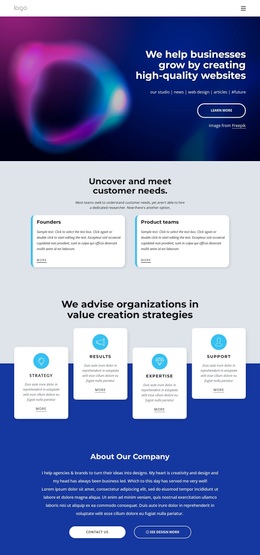
The block combines a specific opening statement, “Uncover and meet customer needs.”, with a centered paragraph that explains why another research option may matter to teams without a dedicated researcher. That pairing gives the design more direction than a generic two-card grid: the heading establishes the subject, and the paragraph supplies the practical context that connects the section to customer-research support.
Its distinctive choice is the balanced division between Founders and Product teams. Instead of presenting several small items or a long list, the design gives two audience groups enough space for a title, explanatory copy, and a “more” link. The matching white cards sit on a light gray field, with rounded corners and generous spacing providing visual separation while preserving a calm, editorial rhythm. Dark text keeps the content legible, and the understated link treatment avoids turning both cards into competing primary calls to action.
This option is especially suitable when a page needs to explain who an offering can support before moving into deeper details. Visitors can identify with one of two broad categories without scanning a dense grid, and the repeated structure makes future copy changes straightforward. The static interaction also keeps the message visible at once. Choose this design when audience distinction and explanatory space matter more than a large item count or animated presentation.
Customize with Nicepage
Open this ready-made template in the Template Builder and customize it visually in the Nicepage editor. Replace demo content, edit page sections, and adapt the design to your project without rebuilding the template from scratch.
Edit Template Offline
2. Create a new page or select existing
3. Click Add new block, search for id 1510094 and click enter
Edit Template Online
Create Awesome Websites


Free Nicepage Builder
Keywords
Start With a Ready-Made Template
Choose a Design for a New Page
Use a ready-made template as a starting point instead of creating every page from a blank canvas. When adding a new page in Nicepage, browse available designs, compare different layouts, and choose an option that already fits the general purpose and visual direction of your project.
Browse Different Page Designs
Explore Page Designs using search, thematic categories, Design Sets, and full-page previews. The collection includes layouts for different subjects and page purposes, making it easier to compare alternatives before selecting a design to customize.
Customize the Selected Template
After choosing a design, create the page and continue editing it visually in Nicepage. Replace the demo content, adjust images, typography, colors, sections, and other elements, and adapt the ready-made layout to your own content instead of rebuilding the design from the beginning.
Explore More Design Directions
If the first option does not match your project closely enough, return to the design collection and compare other templates before committing to a layout. This makes the template library useful not only for faster page creation, but also for exploring different visual approaches and finding a suitable starting point for a new project.
This workflow gives you access to a broad collection of ready-made designs that can be selected, compared, and customized according to the needs of each new page or project.