Feedback about the designer Website Template


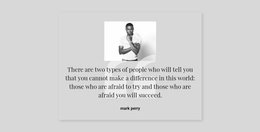
The Left Portrait and Teal Panel Create a Reusable Proof Section
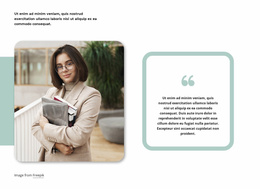
The block defines one complete testimonial area through a simple visual sequence: the grayscale portrait identifies the speaker, the pale teal panel holds the quotation, and the name and role label below establish attribution. This separation gives the feedback a clear reading order without relying on multiple cards or a rotating interaction. The large light-gray quotation mark adds emphasis inside the colored panel, while the surrounding white space keeps the single statement visually distinct.
Within a broader website template project, this section can serve as a reusable trust area between other content regions. It may support a service explanation, project presentation, or contact path by giving one customer-style statement a dedicated visual position. The block itself remains limited to one portrait, one quote, and one attribution, so other sections can handle additional testimonials, company information, calls to action, or detailed offerings. That focused scope makes it easier to coordinate this design with neighboring blocks without asking the testimonial to carry the whole site’s content.
Nicepage describes blocks as section-level designs that can be combined into page layouts. The Pages panel can help manage the broader project around this reusable testimonial section, while the block preserves its own split composition and visual identity.
Customize with Nicepage
Open this ready-made template in the Website Template Builder and customize it visually in the Nicepage editor. Replace demo content, edit page sections, and adapt the design to your project without rebuilding the template from scratch.
Edit Template Offline
2. Create a new page or select existing
3. Click Add new block, search for id 754280 and click enter
Edit Template Online
Create Awesome Websites


Free Nicepage Builder
Keywords
Use This Block in a Broader Website Template Project
Treat the Block as One Reusable Site Section
A website project is assembled from multiple pages and sections. The analyzed block provides one reusable content area—such as services, About, testimonials, pricing, gallery, team, or contact—while the rest of the site supplies other page-level functions.
Coordinate the Section With Other Pages
Use the Pages panel to manage the pages of the broader project. The block can remain one consistent section pattern while related pages add deeper information or different content without implying that the Block ID itself contains those pages.
Expand With Matching Designs
When additional pages or sections are needed, Page Design Sets can help locate matching Page and Block Designs. This can extend the visual direction around the existing block while keeping the site's other content areas separate.
This workflow treats the block as a reusable building unit inside a larger Website Template project, not as a complete website foundation on its own.