Privacy matters to our clients Website Template


Edit Template Offline
2. Create new page and search for id 6543604
Edit Template Online
Create Awesome Websites


Free Nicepage Builder
Keywords
Policy Content Adds a Defined Legal Information Area to the Site
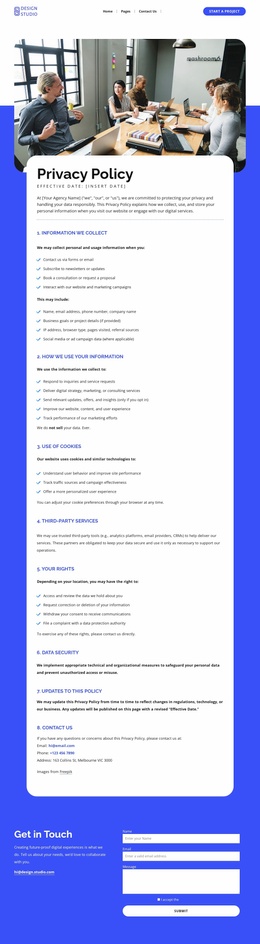
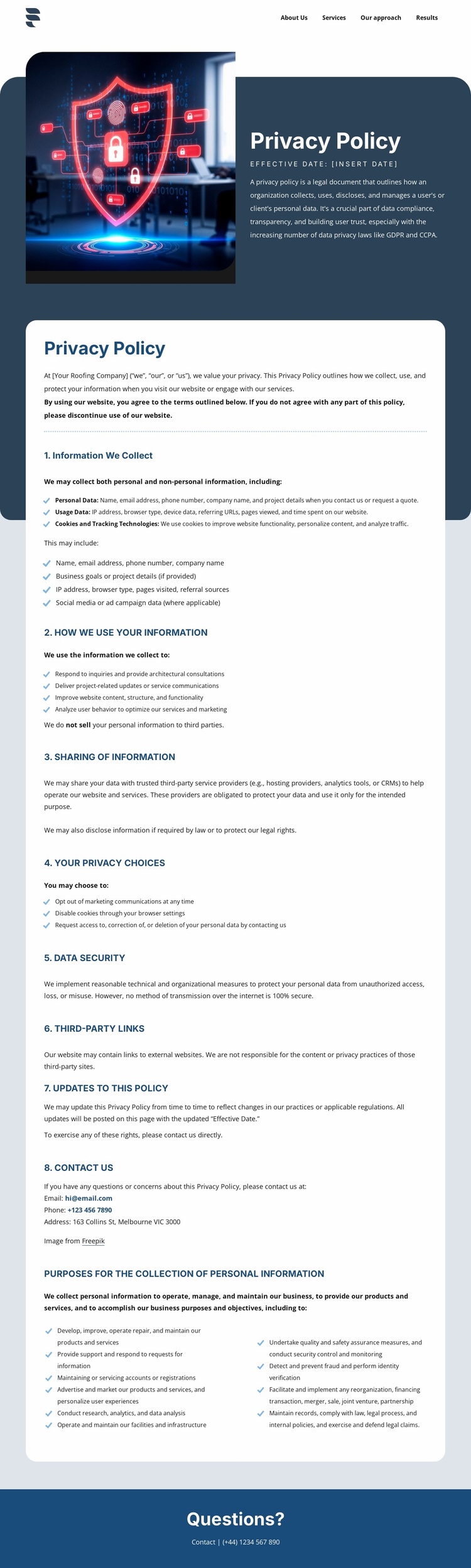
The design already establishes a useful website content category: a dedicated privacy and data-protection area connected to broader site navigation. The compact top menu points toward About Us, Services, Our approach, and Results, while the policy page adds an important informational destination rather than another promotional service section. Its split introduction uses cybersecurity imagery and a dark text panel to identify the subject quickly before the visitor enters the longer document.
The large white card gives a broader site a repeatable information structure. Eight numbered areas cover what information is collected, how it is used, how it is shared, available privacy choices, data security, third-party links, policy updates, and contact. The content also addresses cookies and tracking technologies, references GDPR and CCPA, describes access, correction, and deletion rights, and explains disclosures to service providers or when required by law. These are distinct content areas that can support a site’s trust and information architecture without being mistaken for a services page.
The page is verified as one privacy policy design, so it should not be described as an existing multi-page website. Its value as a website template is that it defines a polished foundation for this specific site area: navigation at the top, subject-specific introduction, detailed policy content in the center, and a blue questions-and-contact region at the end. Additional pages could follow the same visual direction if separately created and verified.
Customize with Nicepage
Open this ready-made template in the Website Template Builder and customize it visually in the Nicepage editor. Replace demo content, edit page sections, and adapt the design to your project without rebuilding the template from scratch.
Build a Complete Website From This Template
Customize the Website Visually
Use this ready-made website template as a starting point for your project and adapt its pages visually in Nicepage. Change content, images, typography, navigation, sections, and other design elements while keeping the website together as a single editable project.
Manage Website Pages in One Project
Use the Pages panel to open, add, duplicate, and manage the pages of your website. Work on individual pages while keeping navigation and the overall site structure accessible from the same project, making it easier to develop a complete website instead of managing separate page files.
Expand the Website With Matching Designs
When you need additional pages or sections, use Page Design Sets to find Page and Block Designs created in the same visual style. Design Sets group matching designs together, making it easier to expand the website with new content while maintaining a consistent look across its pages and sections.
Organize Larger Multi-Page Websites
As the website grows, use Page Folders to organize related pages and keep larger multi-page projects easier to navigate in the editor. This is especially useful for websites with separate service pages, company information, contacts, landing pages, and other content areas.
This workflow makes the template a practical foundation for building and expanding a complete website while managing its pages, content, and visual design within one Nicepage project.