How I protect your data Website Template


Edit Template Offline
2. Create new page and search for id 6542959
Edit Template Online
Create Awesome Websites


Free Nicepage Builder
Keywords
Policy, Subscription, and Author Navigation Establish a Site Foundation
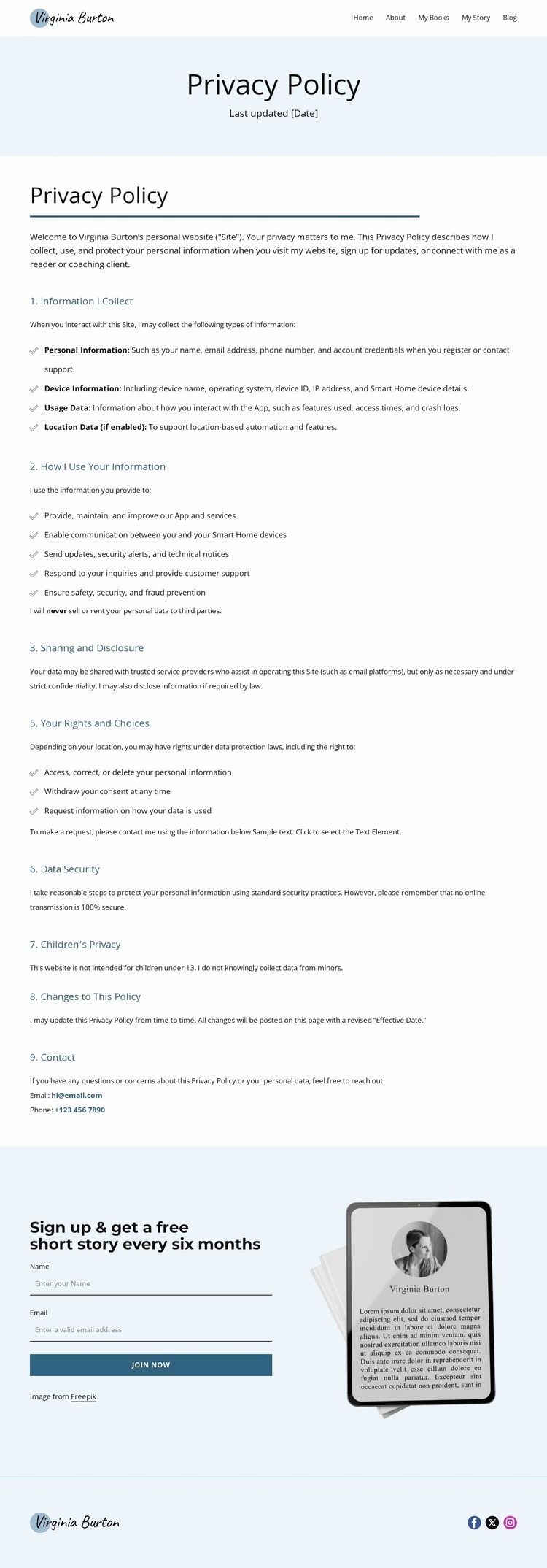
The design provides more than a single document heading because it already defines several content regions that can guide a broader author website. The header establishes the primary navigation categories—Home, About, My Books, My Story, and Blog—so the privacy page sits within a recognizable project structure. That shared identity is reinforced by the Virginia Burton logo, which appears again in the footer alongside Facebook, Twitter, and Instagram links.
The central policy area supplies a substantial informational category for the site. Its numbered sections cover information collected, use, sharing and disclosure, rights and choices, security, children’s privacy, policy changes, and contact options. The verified statement that personal data will not be sold or rented to third parties gives the policy a clear substantive position, while the email and phone contact channels indicate how privacy questions can be addressed. These areas could sit alongside future author, book, story, or coaching pages without requiring the current document to carry those topics itself.
The closing newsletter section adds a separate relationship-building role. Its free short story every six months, subscription form, Join Now action, and device illustration create a reusable pattern for connecting readers with ongoing content. As a website-project foundation, the template therefore offers navigation, trust-oriented information, subscriber capture, and social connection in one visual language. The existing page does not prove a complete multi-page site, but it provides a clear base from which related author content could expand.
Customize with Nicepage
Open this ready-made template in the Website Template Builder and customize it visually in the Nicepage editor. Replace demo content, edit page sections, and adapt the design to your project without rebuilding the template from scratch.
Build a Complete Website From This Template
Customize the Website Visually
Use this ready-made website template as a starting point for your project and adapt its pages visually in Nicepage. Change content, images, typography, navigation, sections, and other design elements while keeping the website together as a single editable project.
Manage Website Pages in One Project
Use the Pages panel to open, add, duplicate, and manage the pages of your website. Work on individual pages while keeping navigation and the overall site structure accessible from the same project, making it easier to develop a complete website instead of managing separate page files.
Expand the Website With Matching Designs
When you need additional pages or sections, use Page Design Sets to find Page and Block Designs created in the same visual style. Design Sets group matching designs together, making it easier to expand the website with new content while maintaining a consistent look across its pages and sections.
Organize Larger Multi-Page Websites
As the website grows, use Page Folders to organize related pages and keep larger multi-page projects easier to navigate in the editor. This is especially useful for websites with separate service pages, company information, contacts, landing pages, and other content areas.
This workflow makes the template a practical foundation for building and expanding a complete website while managing its pages, content, and visual design within one Nicepage project.