Increased Revenue Website Template


A Reusable Growth Section With Focus Areas and Outcomes
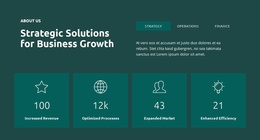
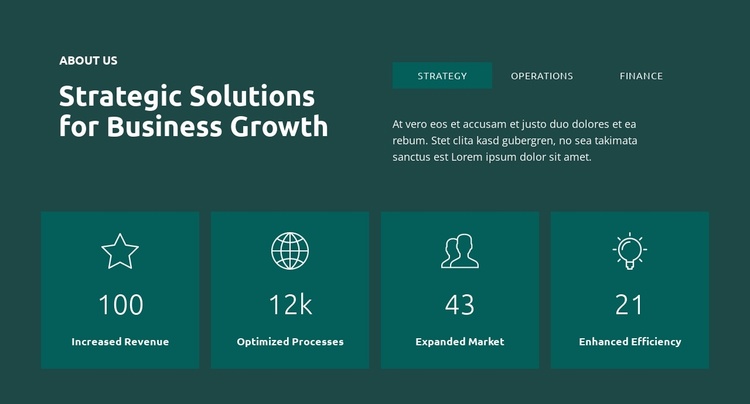
This block establishes a clear recurring content role: it introduces a business-growth theme and organizes related focus areas with a concise outcome summary. The upper two-column row places the “ABOUT US” label and “Strategic Solutions for Business Growth” heading beside tabs for Strategy, Operations, and Finance. That combination can serve as a stable overview section within a broader website project, where other blocks provide deeper service information, case material, contact content, or additional business context.
The four-card lower region gives the section a recognizable pattern that can be reused when a project needs a visual summary of outcomes. The cards are evenly arranged and centered, with thin line icons above the labels Increased Revenue, Optimized Processes, Expanded Market, and Enhanced Efficiency. Their brighter teal treatment separates them from the dark teal background while keeping them connected to the upper content through the shared white typography. The metric labels function as displayed section content; they do not need to be treated as independently established business results.
Within a broader website template project, this block can remain a self-contained consulting overview while neighboring sections carry different levels of detail. Its consistent two-part structure also makes it possible to coordinate the section with related designs without turning one reusable block into a complete site or multi-page project.
Customize with Nicepage
Open this ready-made template in the Website Template Builder and customize it visually in the Nicepage editor. Replace demo content, edit page sections, and adapt the design to your project without rebuilding the template from scratch.
Edit Template Offline
2. Create a new page or select existing
3. Click Add new block, search for id 6385302 and click enter
Edit Template Online
Create Awesome Websites


Free Nicepage Builder
Keywords
Build a Complete Website From This Template
Customize the Website Visually
Use this ready-made website template as a starting point for your project and adapt its pages visually in Nicepage. Change content, images, typography, navigation, sections, and other design elements while keeping the website together as a single editable project.
Manage Website Pages in One Project
Use the Pages panel to open, add, duplicate, and manage the pages of your website. Work on individual pages while keeping navigation and the overall site structure accessible from the same project, making it easier to develop a complete website instead of managing separate page files.
Expand the Website With Matching Designs
When you need additional pages or sections, use Page Design Sets to find Page and Block Designs created in the same visual style. Design Sets group matching designs together, making it easier to expand the website with new content while maintaining a consistent look across its pages and sections.
Organize Larger Multi-Page Websites
As the website grows, use Page Folders to organize related pages and keep larger multi-page projects easier to navigate in the editor. This is especially useful for websites with separate service pages, company information, contacts, landing pages, and other content areas.
This workflow makes the template a practical foundation for building and expanding a complete website while managing its pages, content, and visual design within one Nicepage project.