Analytics for the year Website Template


A Reusable Business Metrics Section With Two Clear Content Zones
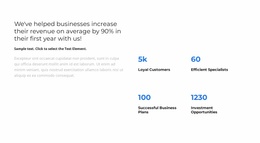
The block defines one stable website content area: an explanatory business-growth message paired with a compact performance summary. Its left column contains the large heading and two supporting paragraphs, giving the section a place for context before visitors scan the numerical information. The right column is reserved for four repeated counters, so the arrangement can remain recognizable when the section is reused or coordinated with related content elsewhere in a broader project.
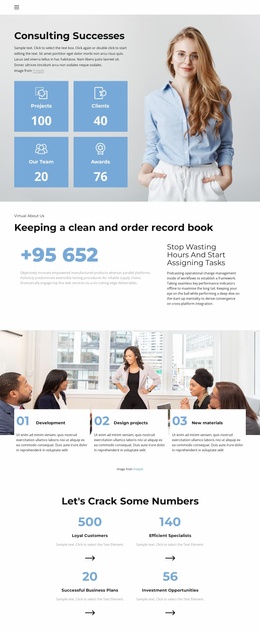
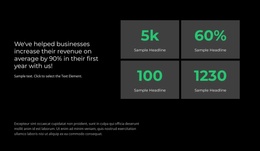
The counter group contains four value-and-label items in a two-by-two layout. The visible categories are Loyal Customers, Efficient Specialists, Successful Business Plans, and Investment Opportunities, shown with the sample values 5k, 60, 100, and 1230. These labels establish a useful content model for a metrics section, but the displayed figures should be treated as replaceable demonstration content unless confirmed for the final project.
Within a larger website template project, the block can occupy a business performance or results area while other sections handle the introduction, services, detailed explanations, proof, or contact information. Its white background and generous whitespace make it easier to coordinate with neighboring blocks, while the blue numerals offer a repeatable accent that related sections may echo. The block contributes a complete section-level pattern without implying that it contains the wider site's pages or architecture.
Customize with Nicepage
Open this ready-made template in the Website Template Builder and customize it visually in the Nicepage editor. Replace demo content, edit page sections, and adapt the design to your project without rebuilding the template from scratch.
Edit Template Offline
2. Create a new page or select existing
3. Click Add new block, search for id 2960157 and click enter
Edit Template Online
Create Awesome Websites


Free Nicepage Builder
Keywords
Use This Block in a Broader Website Template Project
Treat the Block as One Reusable Site Section
A website project is assembled from multiple pages and sections. The analyzed block provides one reusable content area—such as services, About, testimonials, pricing, gallery, team, or contact—while the rest of the site supplies other page-level functions.
Coordinate the Section With Other Pages
Use the Pages panel to manage the pages of the broader project. The block can remain one consistent section pattern while related pages add deeper information or different content without implying that the Block ID itself contains those pages.
Expand With Matching Designs
When additional pages or sections are needed, Page Design Sets can help locate matching Page and Block Designs. This can extend the visual direction around the existing block while keeping the site's other content areas separate.
This workflow treats the block as a reusable building unit inside a larger Website Template project, not as a complete website foundation on its own.