Work results Website Template


Edit Template Offline
2. Create new page and search for id 1597581
Edit Template Online
Create Awesome Websites


Free Nicepage Builder
Keywords
Service Areas and Plan Content Establish a Website Foundation
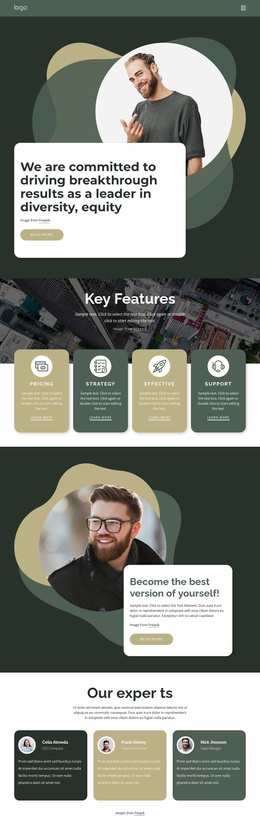
The design already identifies several major categories that a broader business website could develop further. The opening navigation connects Home, About, and Contact, while the central positioning statement introduces a digital innovation organization. Four capability cards then separate Development, Design projects, New materials, and Green technologies into distinct content areas. The employment and HR section adds a second informational path rather than leaving the project focused on one generalized service claim.
The remaining structure supports several possible directions for site expansion. Three profile cards can anchor people or process information, and the Solo and Team plan cards establish a plan-oriented area with purchase actions. The three-question Facts & Questions section offers a repeatable pattern for explanatory content, while four percentage cards and a collaboration statement add proof and context. At the bottom, the contact area combines a name input, Submit action, and social links, giving the project a recognizable engagement region. Since the analysis confirms one About page rather than a complete multi-page set, these elements should be understood as a foundation for additional pages, not evidence that those pages already exist. Their value is the clear set of content categories and recurring visual patterns that can guide a larger site while keeping navigation, services, people, plans, FAQs, and contact content related.
Customize with Nicepage
Open this ready-made template in the Website Template Builder and customize it visually in the Nicepage editor. Replace demo content, edit page sections, and adapt the design to your project without rebuilding the template from scratch.
Build a Complete Website From This Template
Customize the Website Visually
Use this ready-made website template as a starting point for your project and adapt its pages visually in Nicepage. Change content, images, typography, navigation, sections, and other design elements while keeping the website together as a single editable project.
Manage Website Pages in One Project
Use the Pages panel to open, add, duplicate, and manage the pages of your website. Work on individual pages while keeping navigation and the overall site structure accessible from the same project, making it easier to develop a complete website instead of managing separate page files.
Expand the Website With Matching Designs
When you need additional pages or sections, use Page Design Sets to find Page and Block Designs created in the same visual style. Design Sets group matching designs together, making it easier to expand the website with new content while maintaining a consistent look across its pages and sections.
Organize Larger Multi-Page Websites
As the website grows, use Page Folders to organize related pages and keep larger multi-page projects easier to navigate in the editor. This is especially useful for websites with separate service pages, company information, contacts, landing pages, and other content areas.
This workflow makes the template a practical foundation for building and expanding a complete website while managing its pages, content, and visual design within one Nicepage project.