Cells are text Website Template


A Reusable Six-Category Section for Broader Site Content
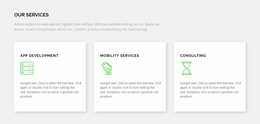
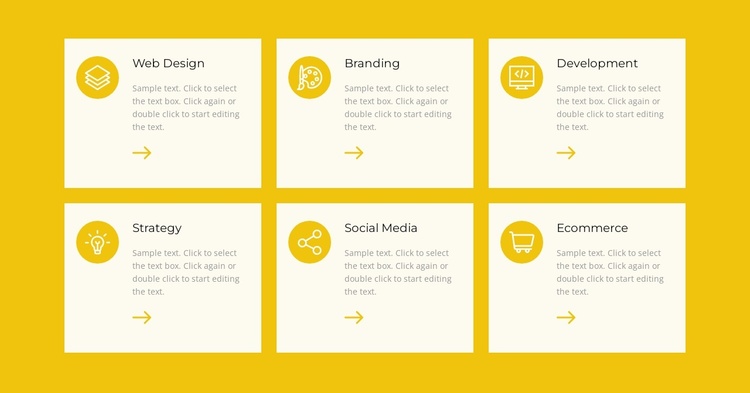
The block defines one stable content area for a broader website project: a services overview covering Web Design, Branding, Development, Strategy, Social Media, and Ecommerce. Its repeated card structure makes the section easy to recognize as a related group rather than a collection of unrelated promotional panels. Every card follows the same relationship between circular icon, category title, supporting paragraph, and directional mark, so the content pattern can remain consistent when the section is placed alongside other page areas.
The three-column, two-row grid gives the block enough coverage to introduce six categories without turning it into a full page or complete site structure. The bright yellow surrounding field can distinguish the services area from neighboring blocks, while the pale cream cards maintain readable individual surfaces. Dark titles and muted gray text keep the information hierarchy stable, and repeated yellow accents connect the cards visually. Within a larger website template project, this section could handle the initial services overview while other blocks provide introductions, detailed service information, case studies, proof, or contact content. Its value lies in being a self-contained, repeatable site region.
Customize with Nicepage
Open this ready-made template in the Website Template Builder and customize it visually in the Nicepage editor. Replace demo content, edit page sections, and adapt the design to your project without rebuilding the template from scratch.
Edit Template Offline
2. Create a new page or select existing
3. Click Add new block, search for id 1591290 and click enter
Edit Template Online
Create Awesome Websites


Free Nicepage Builder
Keywords
Use This Block in a Broader Website Template Project
Treat the Block as One Reusable Site Section
A website project is assembled from multiple pages and sections. The analyzed block provides one reusable content area—such as services, About, testimonials, pricing, gallery, team, or contact—while the rest of the site supplies other page-level functions.
Coordinate the Section With Other Pages
Use the Pages panel to manage the pages of the broader project. The block can remain one consistent section pattern while related pages add deeper information or different content without implying that the Block ID itself contains those pages.
Expand With Matching Designs
When additional pages or sections are needed, Page Design Sets can help locate matching Page and Block Designs. This can extend the visual direction around the existing block while keeping the site's other content areas separate.
This workflow treats the block as a reusable building unit inside a larger Website Template project, not as a complete website foundation on its own.