Team block with grid Website Template


A Four-Member Profile Pattern Fits a Broader Site Structure
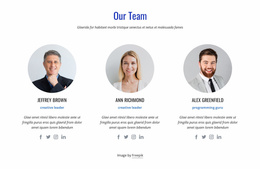
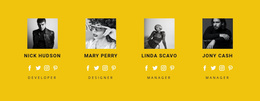
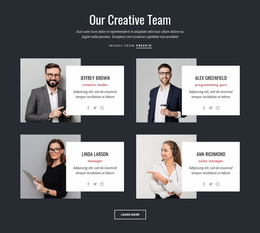
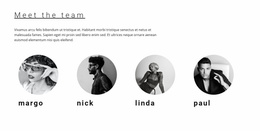
The block supplies one clearly defined website content area: a team introduction supported by four repeated member profiles. Alex Richmond, Connor Quinn, Jeffrey Brown, and Ann Smith appear in two columns, and each card uses the same combination of circular portrait, name, role, and social-link icons. This repeated pattern can remain stable when the section is reused or coordinated with other parts of a broader website project. The role labels—developer, designer, creative leader, and manager—help the section communicate a range of responsibilities without expanding beyond its team function.
The right-hand column gives the pattern a practical frame. The “Our Team” heading and supporting paragraph introduce the people, while the “contact us” button offers a communication route that can connect with a separate contact area or service journey elsewhere in the project. Deep blue framing, white rounded cards, gold role accents, and centered content create visual cues that related sections may echo without requiring this block to define the entire site.
As a Website Template section, it can sit alongside introduction, services, portfolio, testimonial, or contact blocks. Nicepage’s Pages panel and Page Design Sets can help organize and extend the surrounding project, but those broader pages remain outside this reusable team section.
Customize with Nicepage
Open this ready-made template in the Website Template Builder and customize it visually in the Nicepage editor. Replace demo content, edit page sections, and adapt the design to your project without rebuilding the template from scratch.
Edit Template Offline
2. Create a new page or select existing
3. Click Add new block, search for id 1559383 and click enter
Edit Template Online
Create Awesome Websites


Free Nicepage Builder
Keywords
Use This Block in a Broader Website Template Project
Treat the Block as One Reusable Site Section
A website project is assembled from multiple pages and sections. The analyzed block provides one reusable content area—such as services, About, testimonials, pricing, gallery, team, or contact—while the rest of the site supplies other page-level functions.
Coordinate the Section With Other Pages
Use the Pages panel to manage the pages of the broader project. The block can remain one consistent section pattern while related pages add deeper information or different content without implying that the Block ID itself contains those pages.
Expand With Matching Designs
When additional pages or sections are needed, Page Design Sets can help locate matching Page and Block Designs. This can extend the visual direction around the existing block while keeping the site's other content areas separate.
This workflow treats the block as a reusable building unit inside a larger Website Template project, not as a complete website foundation on its own.