Men shirt product details Website Template


A Reusable Product Section for a Broader Retail Project
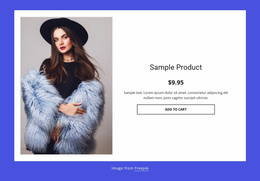
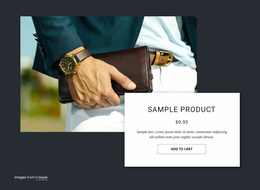
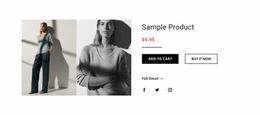
The block establishes a stable content area for presenting one product: the large lifestyle image supplies visual context, and the centered right-hand column groups the title, displayed price, and Add to Cart action. That self-contained relationship makes the section suitable for reuse within a broader website project where different blocks or pages handle introductions, product collections, supporting information, or contact content.
Its visual pattern is also easy to coordinate. The light gray section background and white product panel distinguish the area from neighboring sections, while the black title and button with a blue price create recognizable roles for text, action, and commercial emphasis. If the project includes related product sections, this image-to-information structure can provide a consistent pattern without requiring every page to duplicate the same content.
The section remains focused on one product panel rather than becoming a complete catalog or website framework. The sample title and displayed price can be replaced as project content changes, while the two-column organization continues to provide a dependable retail presentation. In a wider website template project, this block can therefore serve as a repeatable product-detail destination with a clear visual and content boundary.
Customize with Nicepage
Open this ready-made template in the Website Template Builder and customize it visually in the Nicepage editor. Replace demo content, edit page sections, and adapt the design to your project without rebuilding the template from scratch.
Edit Template Offline
2. Create a new page or select existing
3. Click Add new block, search for id 114926 and click enter
Edit Template Online
Create Awesome Websites


Free Nicepage Builder
Keywords
Use This Block in a Broader Website Template Project
Treat the Block as One Reusable Site Section
A website project is assembled from multiple pages and sections. The analyzed block provides one reusable content area—such as services, About, testimonials, pricing, gallery, team, or contact—while the rest of the site supplies other page-level functions.
Coordinate the Section With Other Pages
Use the Pages panel to manage the pages of the broader project. The block can remain one consistent section pattern while related pages add deeper information or different content without implying that the Block ID itself contains those pages.
Expand With Matching Designs
When additional pages or sections are needed, Page Design Sets can help locate matching Page and Block Designs. This can extend the visual direction around the existing block while keeping the site's other content areas separate.
This workflow treats the block as a reusable building unit inside a larger Website Template project, not as a complete website foundation on its own.