Business leading team Website Template


A repeatable three-profile pattern serves a broader site
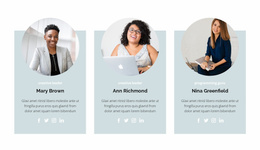
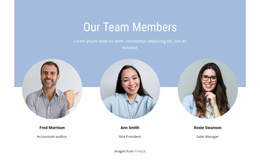
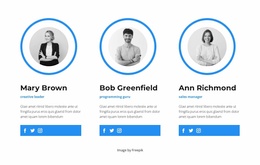
The block supplies one clearly defined website content area: a team presentation built from three parallel profiles. The full-width workspace image gives the section a shared setting, while the overlapping white areas separate each person’s information from that background. Because every profile follows the same pattern of circular portrait, name, role label, short biography, and four social icons, the section can be reused as a stable staff or team pattern within a larger project.
Its value in a broader Website Template context comes from this contained content logic. The block can introduce the people behind an organization without taking responsibility for services, portfolio material, contact content, or other site functions. The three evenly aligned columns make the section easy to coordinate with neighboring blocks, while the warm image and restrained blue-and-gray accents can provide visual cues for related business sections.
Nicepage’s Page Design Set offers a product context for locating related page and block designs, but it does not change the scope of this section. The reusable unit remains the image-over-profiles arrangement, including its static presentation and image attribution credit.
Customize with Nicepage
Open this ready-made template in the Website Template Builder and customize it visually in the Nicepage editor. Replace demo content, edit page sections, and adapt the design to your project without rebuilding the template from scratch.
Edit Template Offline
2. Create a new page or select existing
3. Click Add new block, search for id 109220 and click enter
Edit Template Online
Create Awesome Websites


Free Nicepage Builder
Keywords
Use This Block in a Broader Website Template Project
Treat the Block as One Reusable Site Section
A website project is assembled from multiple pages and sections. The analyzed block provides one reusable content area—such as services, About, testimonials, pricing, gallery, team, or contact—while the rest of the site supplies other page-level functions.
Coordinate the Section With Other Pages
Use the Pages panel to manage the pages of the broader project. The block can remain one consistent section pattern while related pages add deeper information or different content without implying that the Block ID itself contains those pages.
Expand With Matching Designs
When additional pages or sections are needed, Page Design Sets can help locate matching Page and Block Designs. This can extend the visual direction around the existing block while keeping the site's other content areas separate.
This workflow treats the block as a reusable building unit inside a larger Website Template project, not as a complete website foundation on its own.