Digital solutions Website Template



Edit Template Offline
2. Create new page and search for id 1065893
Edit Template Online
Create Awesome Websites


Free Nicepage Builder
Keywords
Services, Strategy, and Careers Define a Broader Site Foundation
The opening hero establishes the agency’s central subject, but the page quickly divides that subject into content areas that can support a broader website project. Three service cards introduce Visualize it, Create it, and Grow it as a clear capability group. The creative collage then gives the agency a separate presentation area, while the numbered 01, 02, and 03 strategy items provide a distinct place for explaining methods or guiding principles.
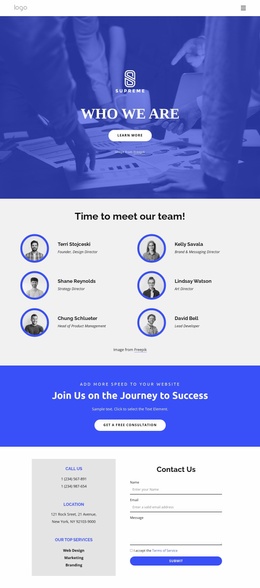
The design also covers the people and culture behind the offer. Three team profile cards can anchor an agency or company section, while the recruitment block adds a benefits list and five expandable job-role entries for careers content. These areas are not interchangeable: services explain what the organization provides, strategy explains how it approaches work, and recruitment addresses prospective employees. Together, they give a larger project several meaningful content categories without claiming that additional pages are already included.
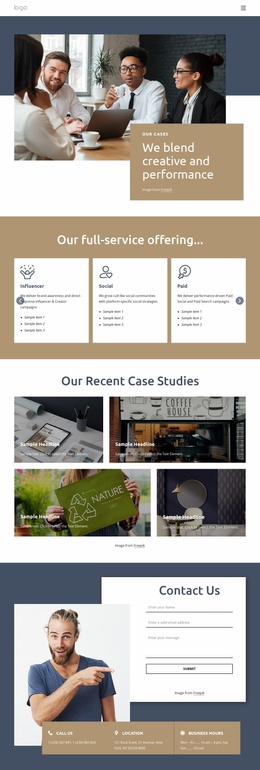
The final Contact Us section supplies a practical project endpoint through its form and four contact-information cards. Navigation and mobile-navigation components help connect the major areas as the site grows, while the pale aqua backgrounds, rounded cards, bold dark typography, and team imagery provide a consistent visual direction. The template therefore works as a starting information architecture for an agency website that may later separate services, company information, careers, and contact content into related pages.
Customize with Nicepage
Open this ready-made template in the Website Template Builder and customize it visually in the Nicepage editor. Replace demo content, edit page sections, and adapt the design to your project without rebuilding the template from scratch.
Build a Complete Website From This Template
Customize the Website Visually
Use this ready-made website template as a starting point for your project and adapt its pages visually in Nicepage. Change content, images, typography, navigation, sections, and other design elements while keeping the website together as a single editable project.
Manage Website Pages in One Project
Use the Pages panel to open, add, duplicate, and manage the pages of your website. Work on individual pages while keeping navigation and the overall site structure accessible from the same project, making it easier to develop a complete website instead of managing separate page files.
Expand the Website With Matching Designs
When you need additional pages or sections, use Page Design Sets to find Page and Block Designs created in the same visual style. Design Sets group matching designs together, making it easier to expand the website with new content while maintaining a consistent look across its pages and sections.
Organize Larger Multi-Page Websites
As the website grows, use Page Folders to organize related pages and keep larger multi-page projects easier to navigate in the editor. This is especially useful for websites with separate service pages, company information, contacts, landing pages, and other content areas.
This workflow makes the template a practical foundation for building and expanding a complete website while managing its pages, content, and visual design within one Nicepage project.